This documentation and the Cisco Observability Platform functionalities it describes are subject to change. Data saved on the platform may disappear and APIs may change without notice.
Deploy a Solution to the Cisco Observability Platform Exchange
Once your solution has been tested and is in a stable state, follow these steps to deploy it in the Cisco Observability Platform Exchange for all Tenants:
Complete the following email template:
Email Subject: Cisco Observability Platform Exchange Submission Request - [Solution Name]
Email Body:
I am submitting [Solution Name] for review by the Cisco Observability Platform. Attached in the email are my solution package (.zip) and solution metadata file (.json). Please find additional information below for my solution.
- Executable File: Attached.
- Metadata File: Attached in JSON format.
- Solution Title: [Solution Title]
- Company Name: [Company Name]
- Description: [Brief description of the solution]
- Requirements: [Any dependencies or prerequisites]
- Licensing: [Licensing information]
- Contact: [Your contact email/phone]
- Documentation: [Brief description or link to documentation]
- Testing: [Description of testing conducted]
Submission Date: [Current Date]
Complete the following solution metadata template and save it as a .json file:
"name": "<solution_name>",
"displayTitle": "<solution_display_title>",
"displaySubTitle": "<solution_display_subtitle>",
"shortDescription": "<solution_short_description>",
"version": "<version>",
"icon": "<icon_path>",
"screenshots": [
    "<screenshot_path>",
    "<screenshot_path>",
    "<screenshot_path>"
],
"longDescription": "<solution_long_description>",
"keywords": "<keywords>",
"benefitDescription": [
    "<benefit_description_1>",
    "<benefit_description_2>"
],
"developerName": "<developer_name>",
"developerEmail": "<developer_email>",
"subscribable": "<free_or_paid>",
"homePageLink": "<url>",
"documentationLink": "<documentation_url>",
"supportSiteLink": "<support_url>"
Expand for example solution metadata file
"name": "optimize",
"displayTitle": "Application Resource Optimizer",
"displaySubTitle": "A Cisco Observability Platform Module",
"shortDescription": "The Application Resource Optimizer optimizes cloud workloads and provides recommendations on how to optimally run workloads in the cloud.",
"longDescription": "The Application Resource Optimizer is a module built on the Cisco Observability Platform that enriches Cisco Cloud Observability. The Application Resource Optimizer analyzes workloads by running a multitude of tests and providing smart recommendations on how to optimally run workloads in a cloud native environment.",
"version": "1.0.0",
"keywords": "AI optimize MachineLearning",
"icon": "https://res.cloudinary.com/image/upload/c_lpad,h_170,w_170,f_auto,b_white,q_auto:eco,dpr_1/v15038640/hlzirbko7mwz3vp5z.png",
"screenshots": [
    "images/fso/screenshots/optimize-01.png",
    "images/fso/screenshots/optimize-02.png",
    "images/fso/screenshots/optimize-03.png"
],
"benefitDescription": [
    "The Application Resource Optimizer has a powerful machine learning engine that analyzes how the workload functions, gathers data on different components of the workload, and provides recommendations based on which resources should be allocated to the workload.",
    "With the power of the Application Resource Optimizer, you can receive realistic recommendations to update your cloud environment, bring costs down, and improve performance. "
],
"developerName": "Cisco",
"developerEmail": "",
"subscribable": "paid",
"homePageLink": "https://www.cisco.com",
"documentationLink": "https://docs.appdynamics.com/",
"supportSiteLink": "https://www.appdynamics.com/support"
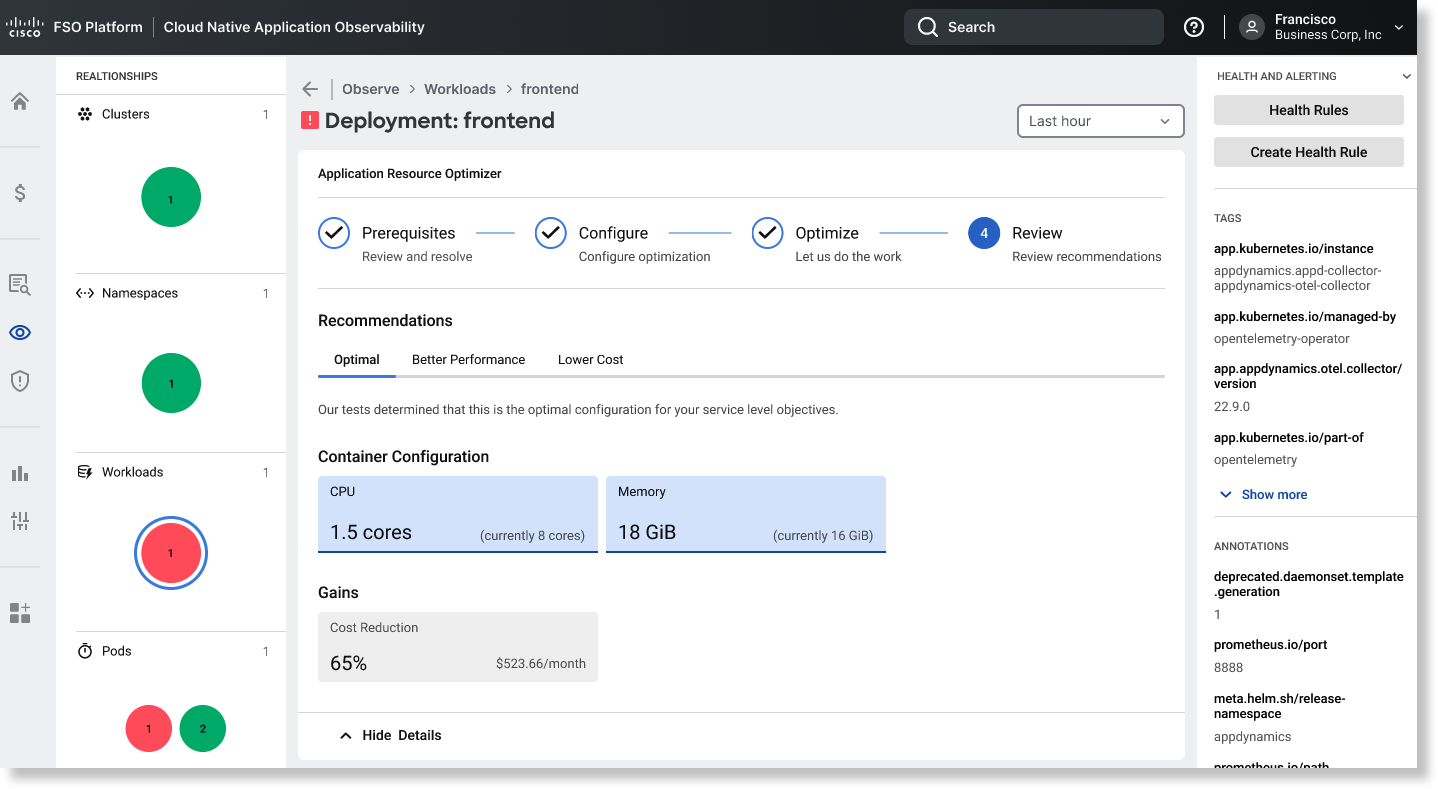
Expand for example screenshot
Email the completed email template, solution .zip file, and solution metadata .json file to fso-submission@cisco.com.
Wait for an update from fso-submission@cisco.com. We'll let you know if more more action is required or if your solution has been deployed.