Findings Intake API Docs
The Findings Intake API facilitates ingestion of security findings into Cisco XDR leveraging the Open Cybersecurity Schema Framework (OCSF v1.4). It supports:
- Simplified custom event ingestion (automatically converted to OCSF)
- Direct ingestion of fully compliant OCSF Detection Findings bundles
This enables seamless integration of external threat data into Cisco XDR for correlation, investigation, and response.
Note: This API ingests data in the Open Cybersecurity Schema Framework (OCSF) 1.4 format. Some endpoints also accept a simplified format for ease of use. For details, see the OCSF 1.4 Schema Explorer or the introductory Cisco U course (based on a later version but still useful).
Supported Findings Intake API Endpoints
1. Custom Detection Findings Intake API
POST /api/v1/custom_detection_findingsAllows ingestion of simplified structured events that Cisco XDR converts internally into OCSF 1.4 Detection Findings.
When to Use
- Lightweight integrations
- Workflow-based ingestion
- Systems that do not produce native OCSF
- Quick onboarding scenarios
2. OCSF Detection Findings Bundle Intake API
POST /api/v1/detection_findingsAllows ingestion of native OCSF v1.4 Detection Findings bundles directly into Cisco XDR.
No schema transformation is performed. The bundle is processed by the Cisco XDR correlation engine and presented in the UI and APIs.
When to Use
- Vendors already producing OCSF 1.4
- Advanced integrations
- Full schema control required
- High-fidelity event modeling
- Batch ingestion with optional gzip compression
Key Differences
| Capability | Custom Detection Findings | OCSF Bundle Intake |
|---|---|---|
| Input Format | Simplified structured JSON | Native OCSF JSON bundle |
| OCSF Conversion | Performed by Cisco XDR | Not performed |
| Schema Control | Limited | Full |
| Gzip Support | No | Yes |
| Advanced Modeling | Limited | Full OCSF modeling |
OCSF Detection Findings Bundle Requirements
The request body MUST:
- Be encoded using the OCSF JSON bundle specification
- Be compatible with OCSF v1.4.0
- Contain exactly one Detection Finding (class_uid: 2004)
The bundle MAY optionally include additional OCSF events linked via:
finding_info.related_eventsSupported Related Event Classes
The bundle may include:
- 4001 Network Activity
- 4002 HTTP Activity
- 4003 DNS Activity
- 4006 SMB Activity
- 4009 Email Activity
- 3002 Authentication
- 1007 Process Activity
- 7003 Process Remediation Activity
- 1001 File System Activity
- 1005 Module Activity
- 201001 Windows Registry Key Activity
- 201002 Windows Registry Value Activity
Bundles containing only unsupported activity classes are rejected.
How to use the API Docs
Use the interactive documentation to explore the Findings Intake API endpoints. Each request includes a complete description of all required parameters and allows you to try it out instantly in the online console. Code templates are also provided for you to quickly build scripts.
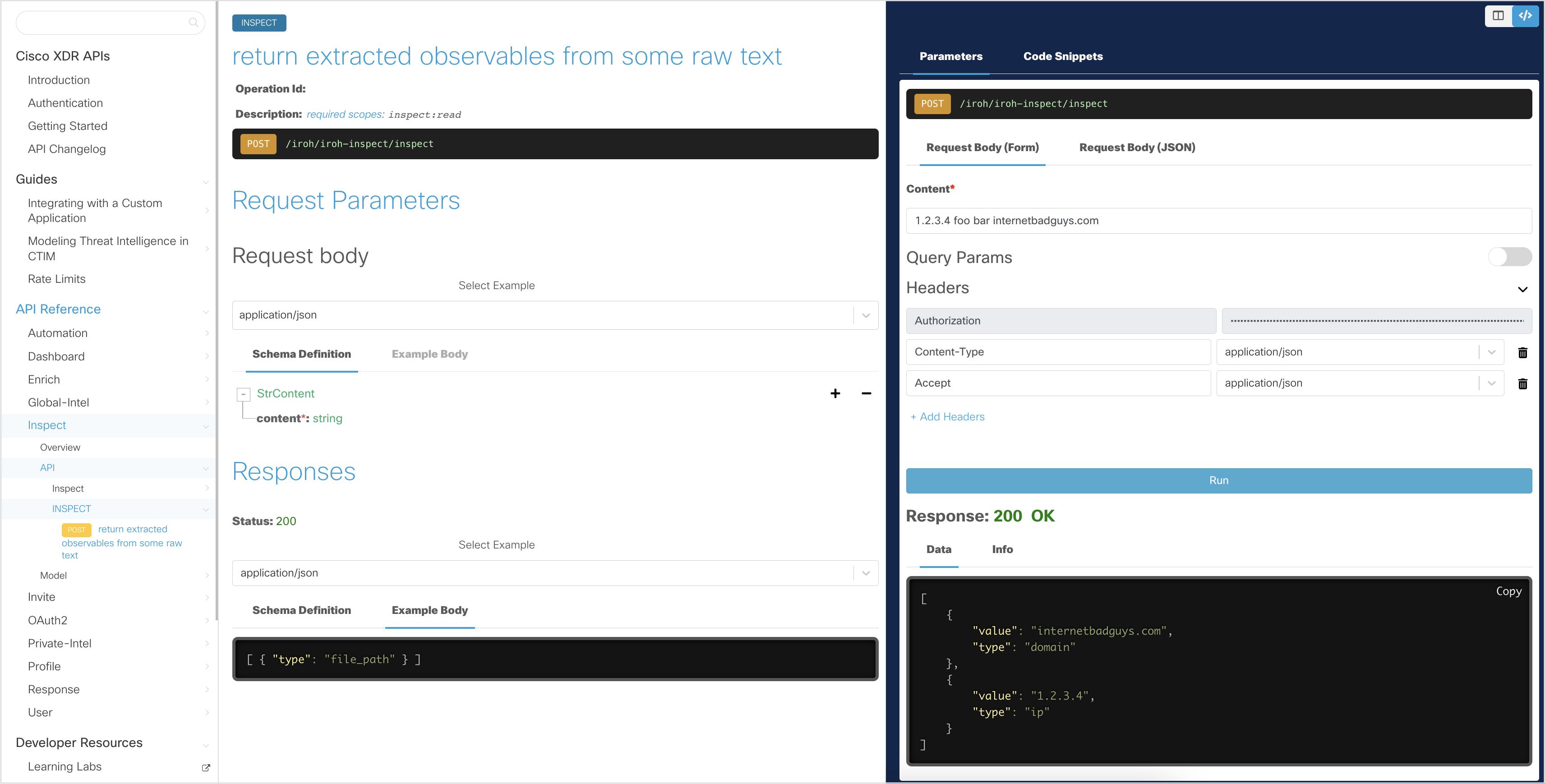
In the interactive explorer, the Client ID and Client Secret are pre-filled, allowing you to make read-only API requests. These credentials allow you to obtain an Access Token, which is stored for subsequent requests and automatically regenerated when it expires.
Note: The interactive documentation uses read-only credentials, and the try it out feature only works with GET and selected POST requests. To try other
Findings Intake APIrequests, go to https://findings.us.security.cisco.com/swagger-ui#/.
Generate an Access Token
In the interactive API explorer, the Access Token is automatically generated using the pre-filled Client ID and Client Secret so you do not need to generate it yourself.
If you want to understand how the Access Token is generated from the Client ID and Client Secret credentials, take a look at the Authentication page.
For detailed instructions on how to use the interactive API documentation (or your own Python script), see the Getting Started page.
Download the Findings Intake OpenAPI Specification
Download the Findings Intake OpenAPI specification (OAS) file here.
Required Headers
Important note: The value of the
module-instance-idheader is mapped to an Integration Module in your XDR tenant. This is resolved by theFindings Intake APIand used as the name of the Custom Event Source. This can be of Module Instance of an existing Integration Module Type (e.g. Splunk), or you can create a placeholder Module Instance using the new Custom OCSF Event Source Module Type (change URL to.eu.or.apjc.as needed). This ID, and the optional Workflow Run ID, are output variable references automatically set by the system when using the Workflow Intent "Custom Security Event".
Custom Detection Findings
Required:
module-instance-id:
Content-Type: application/json
Authorization: Bearer
Optional:
workflow-run-id:
x-request-id:
OCSF Detection Findings Bundle
Required:
module-instance-id:
Content-Type: application/json
Authorization: Bearer
Optional:
workflow-run-id:
x-request-id:
Content-Encoding: gzip
Accept-Encoding: gzip
Sample Code
Below are some Python examples of how to use the Findings Intake API.
Example: Custom Detection Findings
import json
import requests

access_token = ""
module_instance_id = ""

url = "https://findings.us.security.cisco.com/api/v1/custom_detection_findings"

payload = {
  "detection_findings": {
    "finding_info": {
      "title": "Suspicious Email",
      "types": ["Email"],
      "uid": "external-uid-123"
    },
    "severity": "Medium",
    "confidence": "Medium",
    "time": 1739700000000
  },
  "email_activity": [
    {
      "activity_name": "Send",
      "direction": "Inbound",
      "time": 1739700000000,
      "email": {
        "from_list": ["attacker@example.com"],
        "to": ["victim@example.com"],
        "message_uid": "msg-123"
      }
    }
  ]
}

headers = {
  "Authorization": f"Bearer {access_token}",
  "Content-Type": "application/json",
  "module-instance-id": module_instance_id
}

response = requests.post(url, headers=headers, json=payload)
print(response.text)
Example: OCSF Detection Findings Bundle
The OCSF endpoint accepts an array of bundles.
Each bundle must include:
events[]- Exactly one Detection Finding (class_uid: 2004)
Minimal Bundle Example
import requests
import json

access_token = ""
module_instance_id = ""

url = "https://findings.us.security.cisco.com/api/v1/detection_findings"

bundle = [{
  "events": [
    {
      "class_uid": 2004,
      "time": 1739700000000,
      "metadata": {
        "version": "1.4.0"
      },
      "finding_info": {
        "title": "Suspicious Network Activity",
        "types": ["Network"],
        "uid": "external-uid-456"
      },
      "severity_id": 3,
      "confidence_id": 2
    },
    {
      "class_uid": 4001,
      "time": 1739700000000,
      "activity_name": "Open",
      "src_endpoint": { "ip": "10.0.0.5" },
      "dst_endpoint": { "ip": "8.8.8.8", "port": 53 }
    }
  ]
}]

headers = {
  "Authorization": f"Bearer {access_token}",
  "Content-Type": "application/json",
  "module-instance-id": module_instance_id
}

response = requests.post(url, headers=headers, json=bundle)
print(response.text)
Gzip Compression Example (Optional)
For high-volume ingestion:
import gzip
import requests
import json

data = json.dumps(bundle).encode("utf-8")
compressed = gzip.compress(data)

headers = {
  "Authorization": f"Bearer {access_token}",
  "Content-Type": "application/json",
  "Content-Encoding": "gzip",
  "Accept-Encoding": "gzip",
  "module-instance-id": module_instance_id
}

response = requests.post(url, headers=headers, data=compressed)
print(response.text)