User API Docs
The User API allows developers to manage and obtain information about users within their organization.
Use Cases
- Get user information.
- Change a user.
- Get users within your organization by ids.
- Search users within your organization.
How to use the API Docs
Use the interactive documentation to explore the User API endpoints. Each request will have a complete description of all the required parameters and it also allows you to instantly try it out in the online console. Code templates are also provided for you to quickly build scripts.
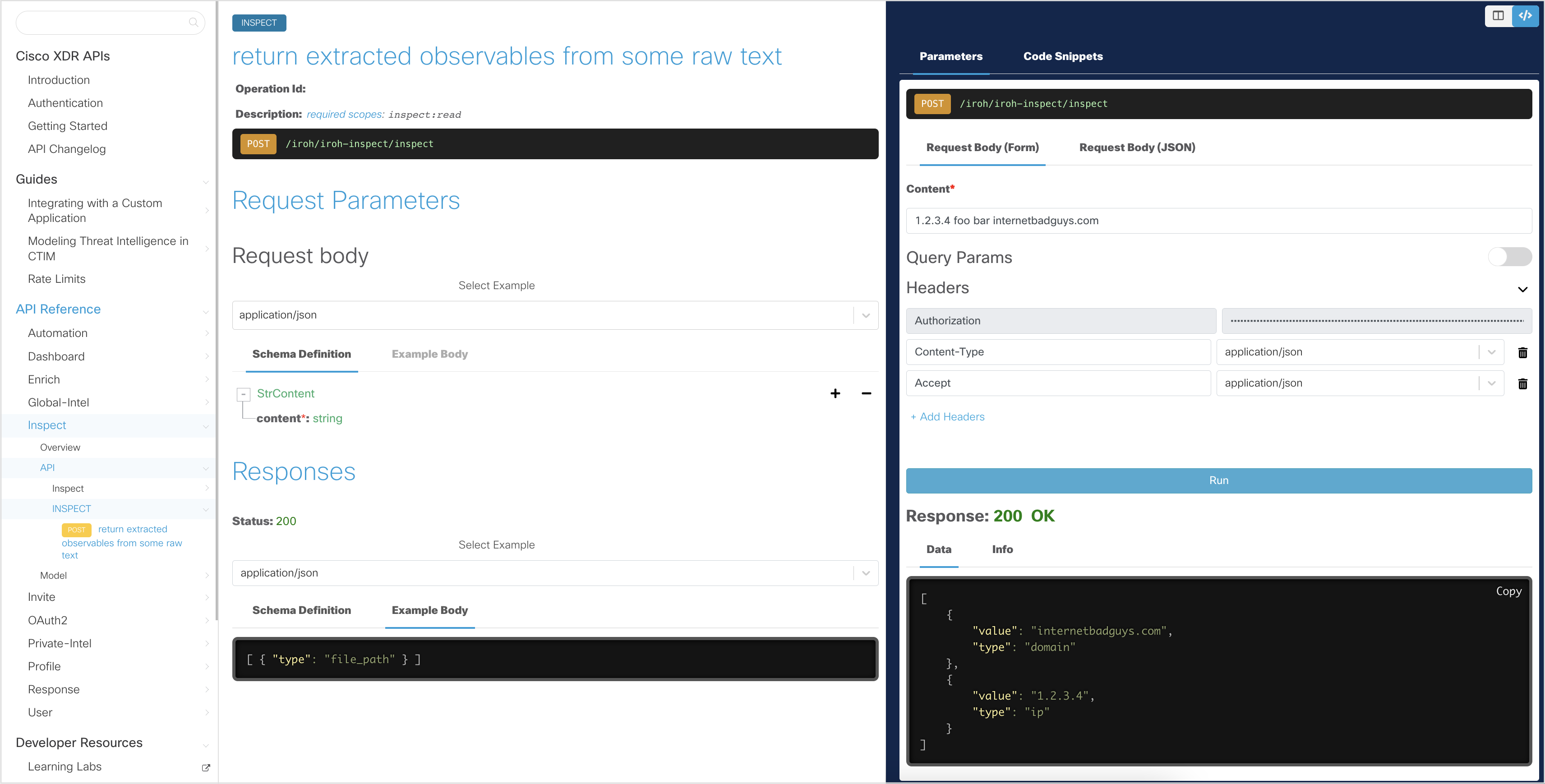
In the interactive explorer, the Client ID and Client Secret has been pre-filled and will allow you to make read-only API requests. These credentials will allow you to get an Access Token with a few simple button clicks, which will be stored for subsequent API requests until the token expires.
Note: The interactive documentation uses read-only credentials and the try it out feature will only work with
GETand selectedPOSTrequests.To try non-
GETUserAPI requests, go to https://visibility.amp.cisco.com/iroh/user-mgmt/index.html
Generate an Access Token
In the interactive API explorer, the Access Token is automatically generated using the pre-filled Client ID and Client Secret so you do not need to generate it yourself.
If you want to understand how the Access Token is generated from the Client ID and Client Secret credentials, take a look at the Authentication page.
For detailed instructions on how to use the interactive API documentation (or your own Python script), see the Getting Started page.
Download the User OpenAPI Specification
Download the User OpenAPI specification (OAS) file here.
Sample Code
Below is an example of how to use the User API, without the Python SDK. Please check the Getting Started for instructions using the SDK.
import json
import requests

# create headers for API request (See the OAuth2 overview page for sample code to generate an access token)
access_token = 'eyJhbGciO....bPito5n5Q' # truncated example, generate JWT token separately
bearer_token = 'Bearer ' + access_token

# get user details from a user-id
user_id = 'f307...128' # See the Profile overview page for sample code on how to get your user-id using the whoami API
url = 'https://visibility.amp.cisco.com/iroh/user-mgmt/users/' + user_id

headers = {
            'Authorization': bearer_token,
            'Content-Type':'application/json',
            'Accept':'application/json'
}

response = requests.get(url, headers=headers)
print(response.text)

if response.status_code == 200:
    # convert the response to a dict object
    response_json = json.loads(response.text)

    # get the user details (remainder values are accessed in the same way)
    role = response_json['role']
    scopes = response_json['scopes']
user_email = response_json['user-email']Contact: Cisco Security Business Group -- Advanced Threat
License: All Rights Reserved