Overview of Push Security Events
Cisco Secure Access Push Security Events are actionable security events that are reported by Secure Access. Organizations can add Third-party Integrations in Secure Access to receive Push Security Events. Third-party Integrations for Push Security Events send security events to a configured third-party product or service. For information about adding a Third-party integration in Secure Access, see Third-Party Integrations API.
Secure Access detects and reports on various types of security events. Secure Access logs security events when end users send requests to destinations associated with Security categories. The Security categories are Command and Control, Malware, Phishing or other security criteria.
A Secure Access Third-party Integration for Push Security Events requires a Secure Access Webhook and credentials for the Webhook. Configure the Secure Access Webhook to send the security events to HTTP listeners deployed in your on-premises or cloud environment.
Select the type of security events that the Webhook will send to the HTTP listener or send all types of security events. Push Security Events are available for:
- DNS activity
- HTTP activity
- Other types of activity
- Firewall
- Intrusion Prevention System (IPS)
- Data Loss Prevention (DLP)
- Zero Trust Network Access (ZTNA) with a blocked reason
- Remote Access Virtual Private Network (RAVPN) with a failed reason
Secure Access supports two types of formats for Push Security Events:
- Cloud events—The Push Security Events formatted in JSON using the Cloud events schema.
- Secure Access sends all Push Security Events in batches formatted with the Cloud Events schema and provides a mapping to the Open Cybersecurity Schema Framework (OCSF) cloud events schemas with custom fields. For more information, see Push Security Events: Cloud Events Samples.
- Splunk events—The Push Security Events formatted in JSON using the Splunk events schema.
Use Cases
- Enable the organization's Security Operations Centers (SOCs) to have visibility into risky network activities. Administrators can configure Secure Access to send Push Security Events to an XDR or Security Information and Event Management (SIEM) system.
- Provide administrators with the capability to trigger automation and incident response and correlation workflows.
- Assist organizations to identify potential security threats.
Guidelines
- Secure Access supports three third-party integrations of Push Security Events in an organization.
- Secure Access sends all Push Security Events in batches formatted with the Cloud events schema or Splunk events schema.
- Secure Access sends up to 10 security events in each Webhook message.
- Secure Access does not convert numeric or UUID values in the events into names or labels. You can use the Secure Access API to resolve these identifiers.
- For example, you can use the origin ID (
event.events{}.cisco_origin.id) in the Push Security Event message to get the name of an origin. For more information, see Reporting API > Get Identities by IDs.
- For example, you can use the origin ID (
How to Set Up Push Security Events in Secure Access
- Deploy an HTTP listener in your on-premises or cloud environment.
- Ensure that the target system can receive HTTP POST messages from Secure Access.
- The target system must support Basic authentication with a username and password.
- Add a Webhook in Secure Access for a Third-party integration. Configure the Webhook with the URL and Basic authentication credentials of the HTTP listener.
- You can add a Webhook and credentials for the Webhook through the Third-Party Integrations API. For more information, see and How to Create a Third-Party Integration for a Webhook and How To Create a Credential for Your Webhook.
- You can add a Webhook for a Third-party integration through the Secure Access user interface (UI). For more information, see Add a Webhook for a Third-Party Integration.
- Add a Third-party integration for Push Security Events in Secure Access.
For more information, see How To Create a Third-Party Integration for Push Security Events.
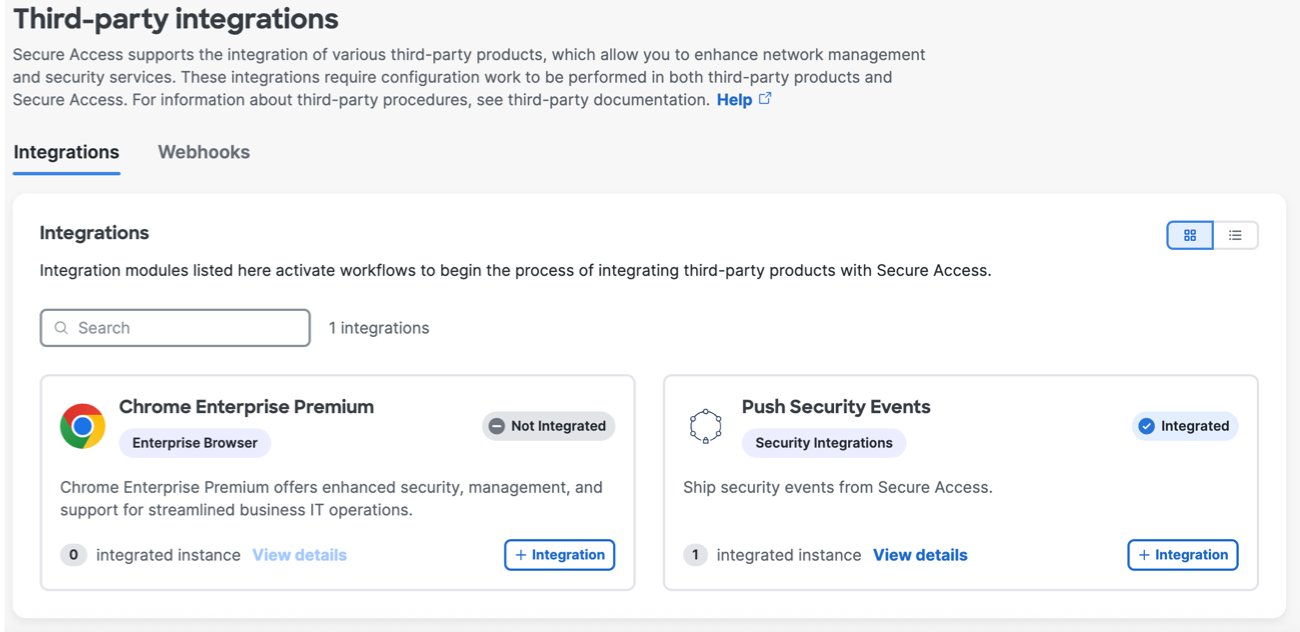
Alternatively, you can add a Third-party integration through the Secure Access user interface (UI). For more information, see Push Security Events Third-Party Integration.
- Validate that your target system receives Secure Access Push Security Events.