The Annotate Step
Continue to build the broadcast.aef script by dragging an Annotate step from the General palette (in the Palette pane of the Cisco Unified CCX Editor window) to the Design pane, as shown in figure broadcastaef acript.
Configure this Annotate step to contain notes describing the function of this script. (This step has no impact on script functionality.)
Figure shows the configured Annotate step customizer window.
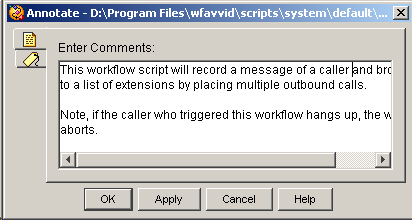
Configure the Annotate customizer window by entering notes in the Enter Comments text field, and then clicking OK.
Note | This script contains four top-level instances of the Annotate step. |
Tip | Notes you add about the script are useful to remind yourself of the functions of the script and its various sections. Notes also communicate information about the script to future designers who may need to revise or debug it. |