The Create URL Document Step
Add a Create URL Document step to the getQuoteClient.aef script to enter the URL that contains the stock price information.
To configure the Create URL Document customizer window, do the following:
Procedure
| Step 1 | From the Document Palette in the Palette pane, drag a Create URL Document step to the Design pane, and then drop it over the Accept step icon. The Create URL Document step icon appears in the Design pane, just below, and on the same level as, the Accept step icon. |
| Step 2 | Right-click the new Create URL Document step icon. A popup menu appears. |
| Step 3 | Choose Properties. The Create URL Document customizer window appears. 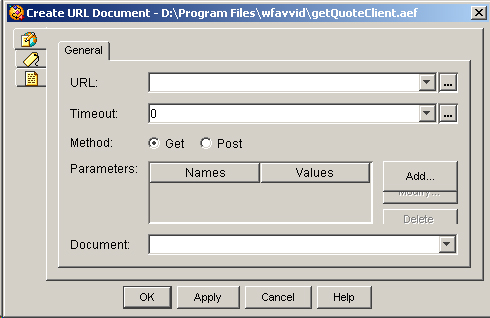 |
| Step 4 | In the URL text field, enter the following URL: This URL is composed of the following three parts:
|
| Step 5 | From the Document drop-down menu, choose doc. This choice defines the document that contains the information found in the URL. |
| Step 6 | Click OK. The Create URL Document customizer window closes. You are now ready to add the next step to the getQuoteClient.aef script in the Design pane of the Cisco Unified CCX Editor. |