Enablement of licensed frequencies
IW Service allows for the enablement of the following frequency bands for Ultra Reliable Wireless Backhaul (URWB):
- 4.9 GHz Public Safety Band (4940–4990 MHz): Available for use in the United States and Canada. To use this band, you are required to obtain appropriate licensing from the FCC (US) or ISED (Canada).
- 5.9 GHz Band (5860–5930 MHz): Available for use in Europe. To use this band, you must obtain appropriate licensing from the local regulatory authority.
To enable the license, open a TAC case on Support Case Manager (https://mycase.cloudapps.cisco.com/fluidmesh) to get access to this functionality by filling the following information:
- Customer's Name
- Use Case
- Installation Location
- Required Frequency Band
- Access Point model
- Documentation issued by the regulatory authority confirming the customer's right to use the specified frequency band, along with related technical details for support
- Name of the Customer's Organization on IW Service where the licensed band must be activated
Contact iot-iw-pteam@cisco.com for additional information on the licensing process.
Once we verify that your organization has appropriate authorization, your dashboard organization will have access to the 4.9 GHz and 5.9 GHz licenses on devices in your inventory.
For each license, you can provide the list of PIDs to support it.
PIDs supporting IW-49 license:
- IW9167EH-A
- IW9167EH-B
- IW9165DH-A
- IW9165DH-B
- IW9165E-A
- IW9165E-B
PIDs supporting IW-59 license:
- IW9167EH-E
- IW9165DH-E
- IW9165E-E
To enable a license, follow these steps (This procedure is an example for enabling the IW-49 license, the same steps also apply to enabling the IW-59 license):
In the IOT Operations Dashboard, select Industrial Wireless for Service.
Select the Inventory section. A new page appears that lists the devices available with respective parameters.
Select the device for which IW-49 is required. A new page appears that provides details about the selected device.
Select the Licenses tab.
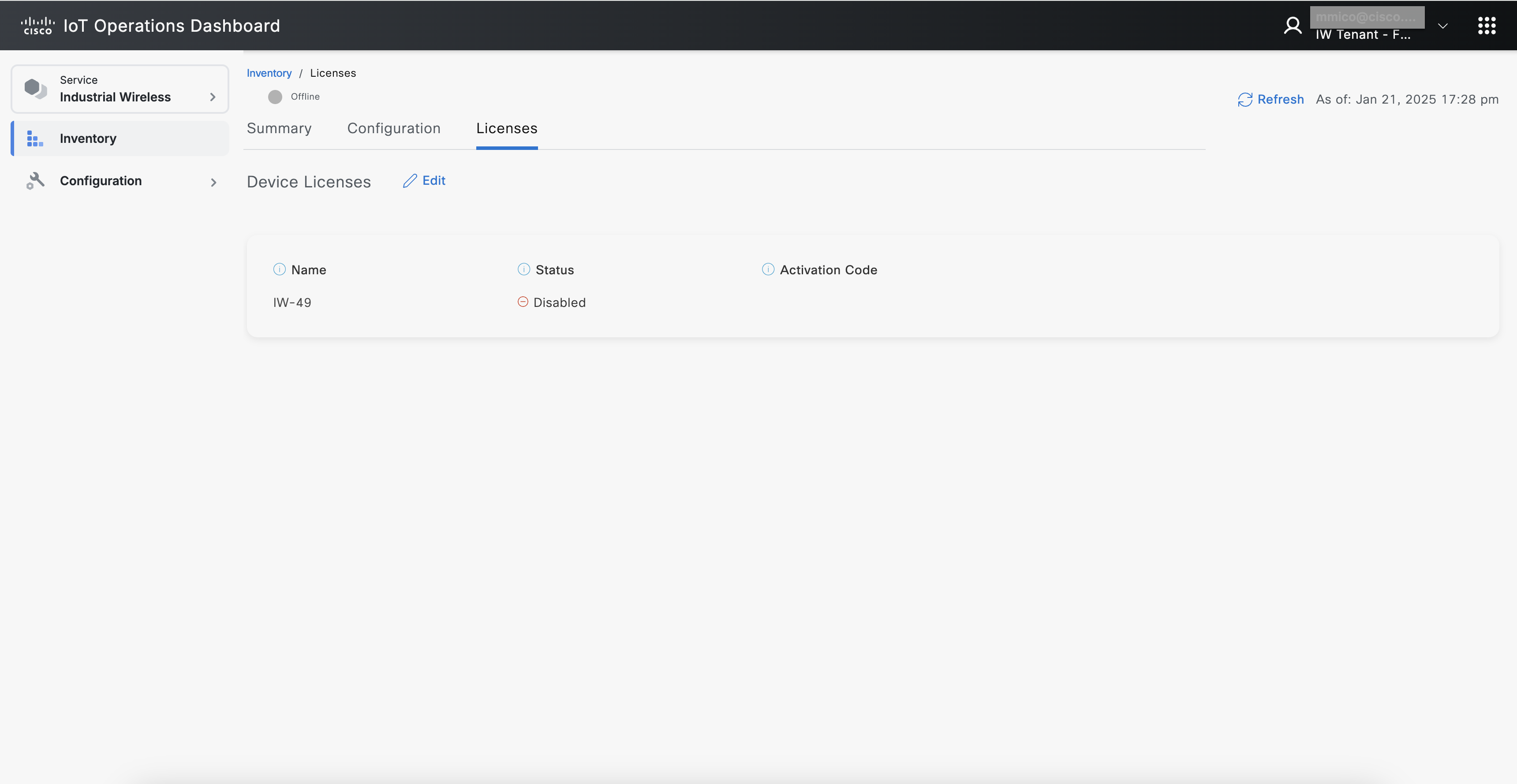
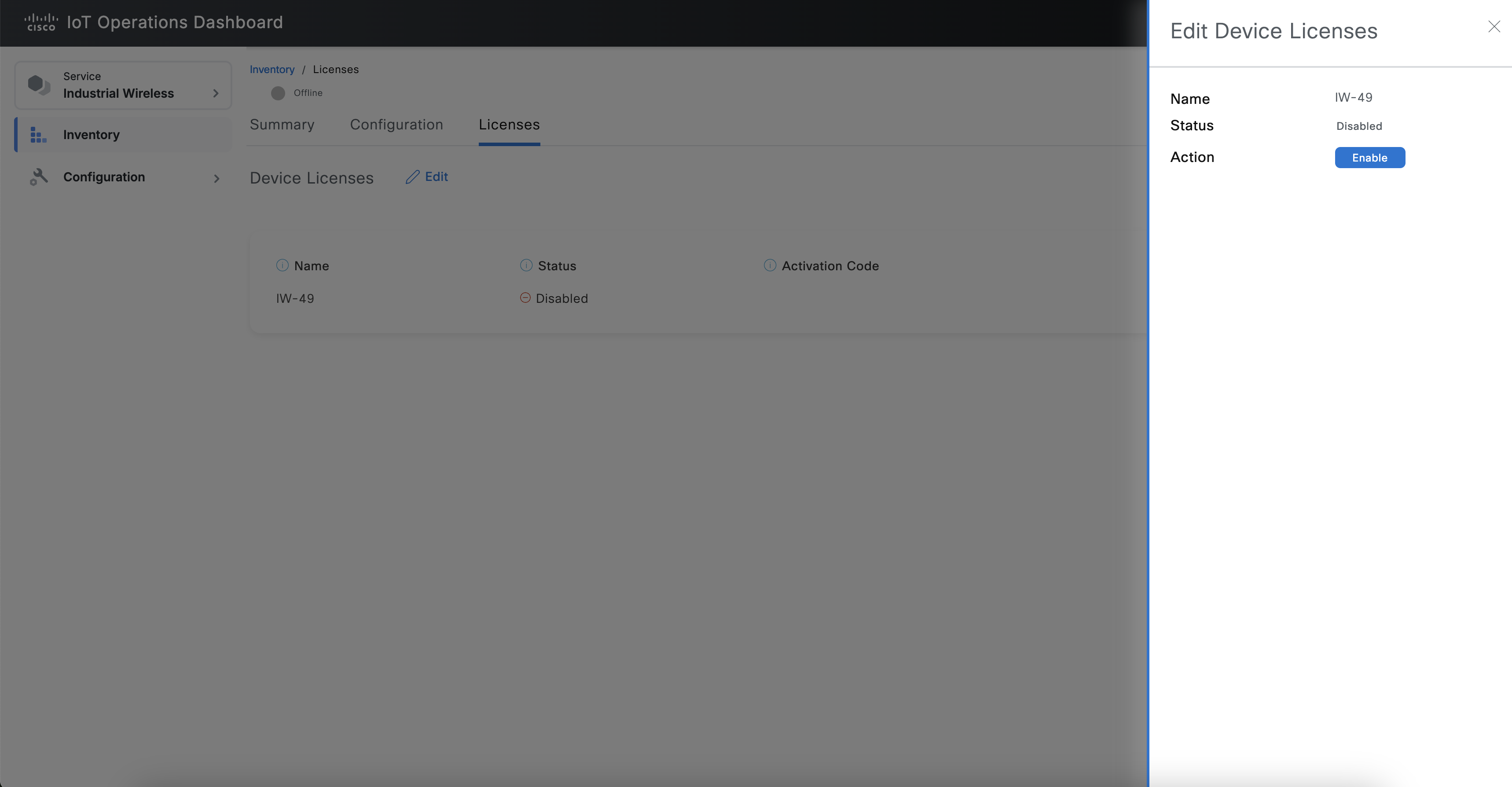
Click Edit. The sidebar appears to the entry corresponding to IW-49.
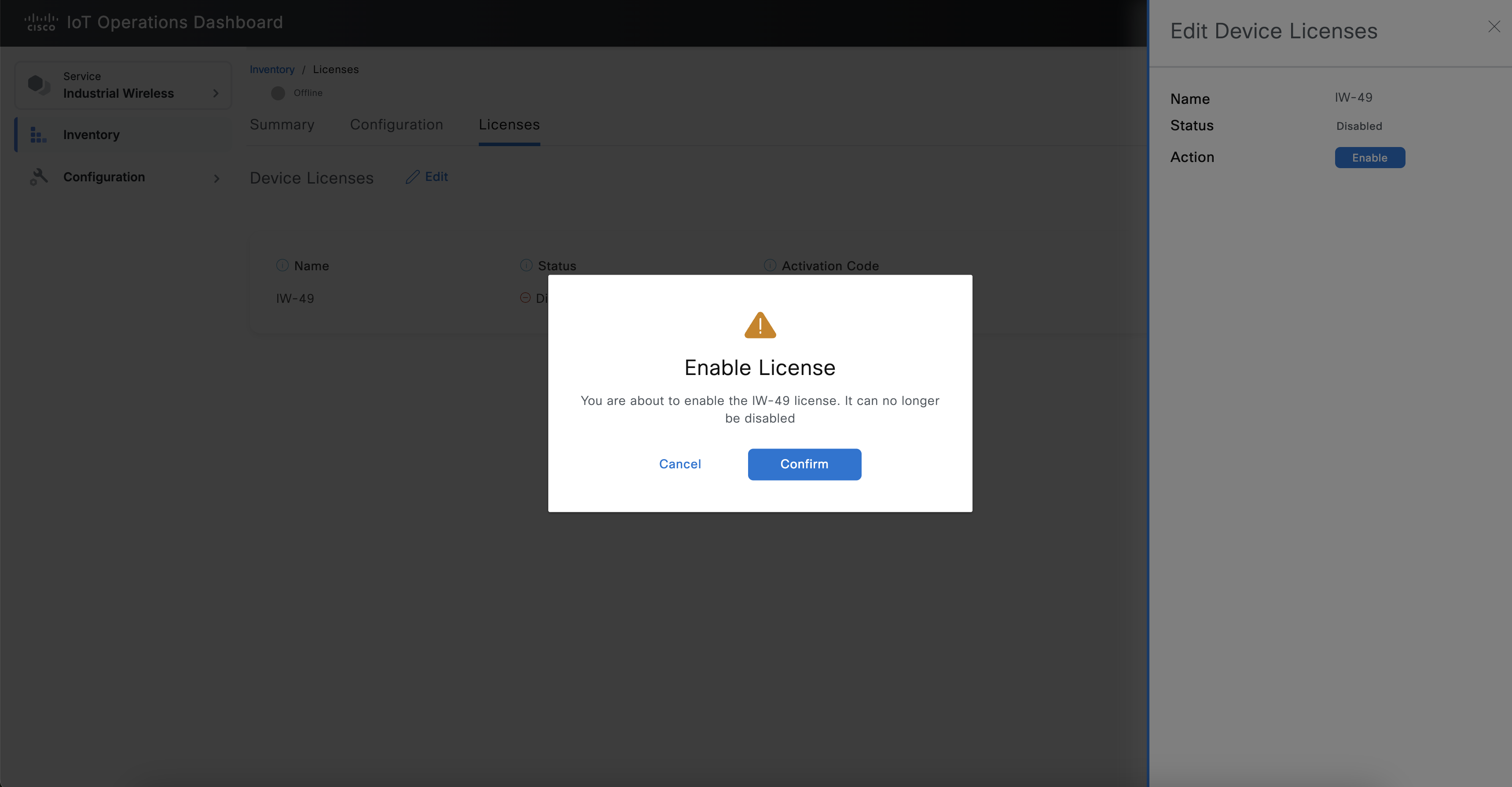
Click Enable. A pop-up appears to enable the license.
Click Confirm.
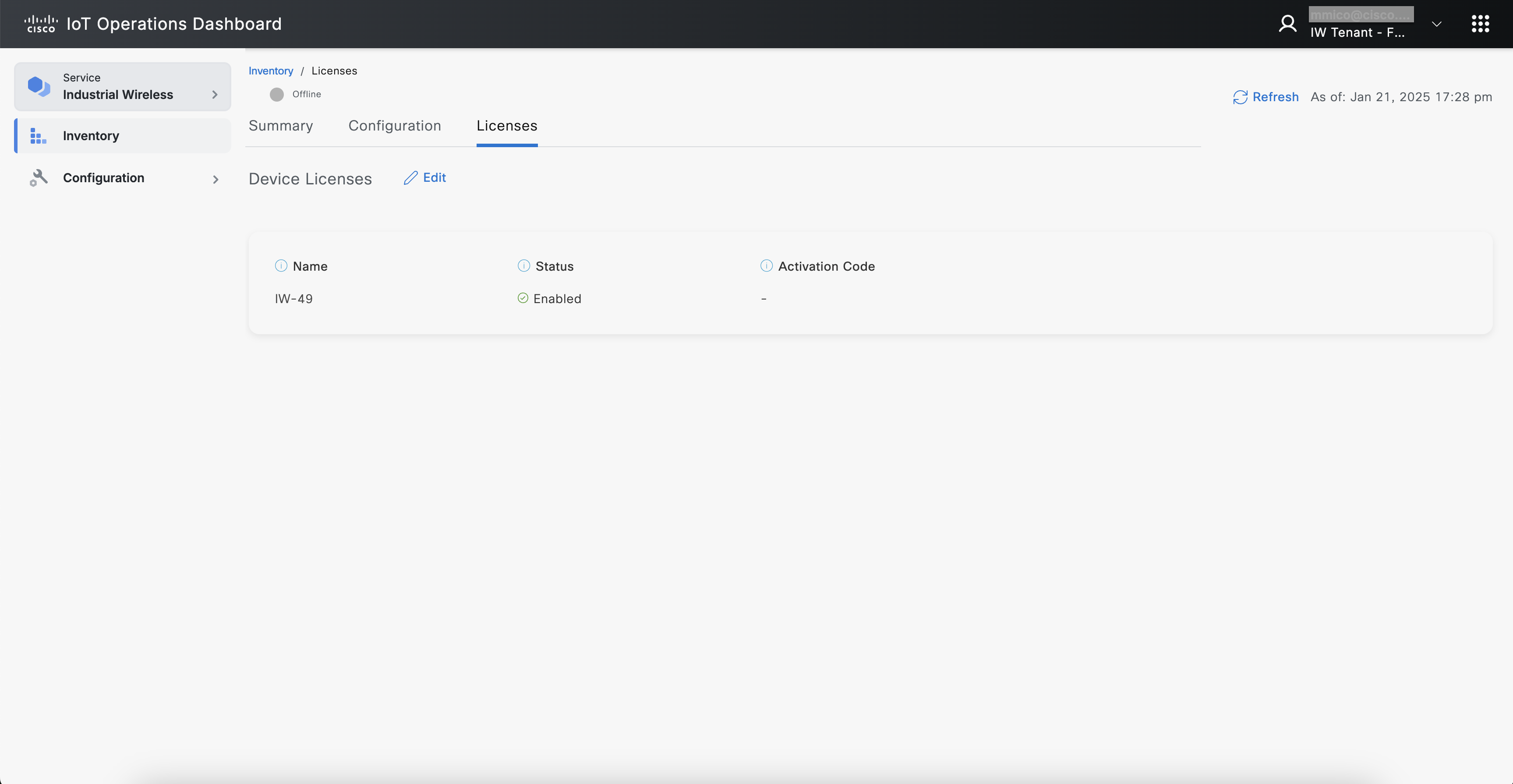
 The Status is displayed as Enabled for IW-49 .
Select the Configuration section.
Click Edit. The 4.9 GHz frequencies are available for both Radio 1 and Radio 2 frequency parameters after enabling IW-49 license.
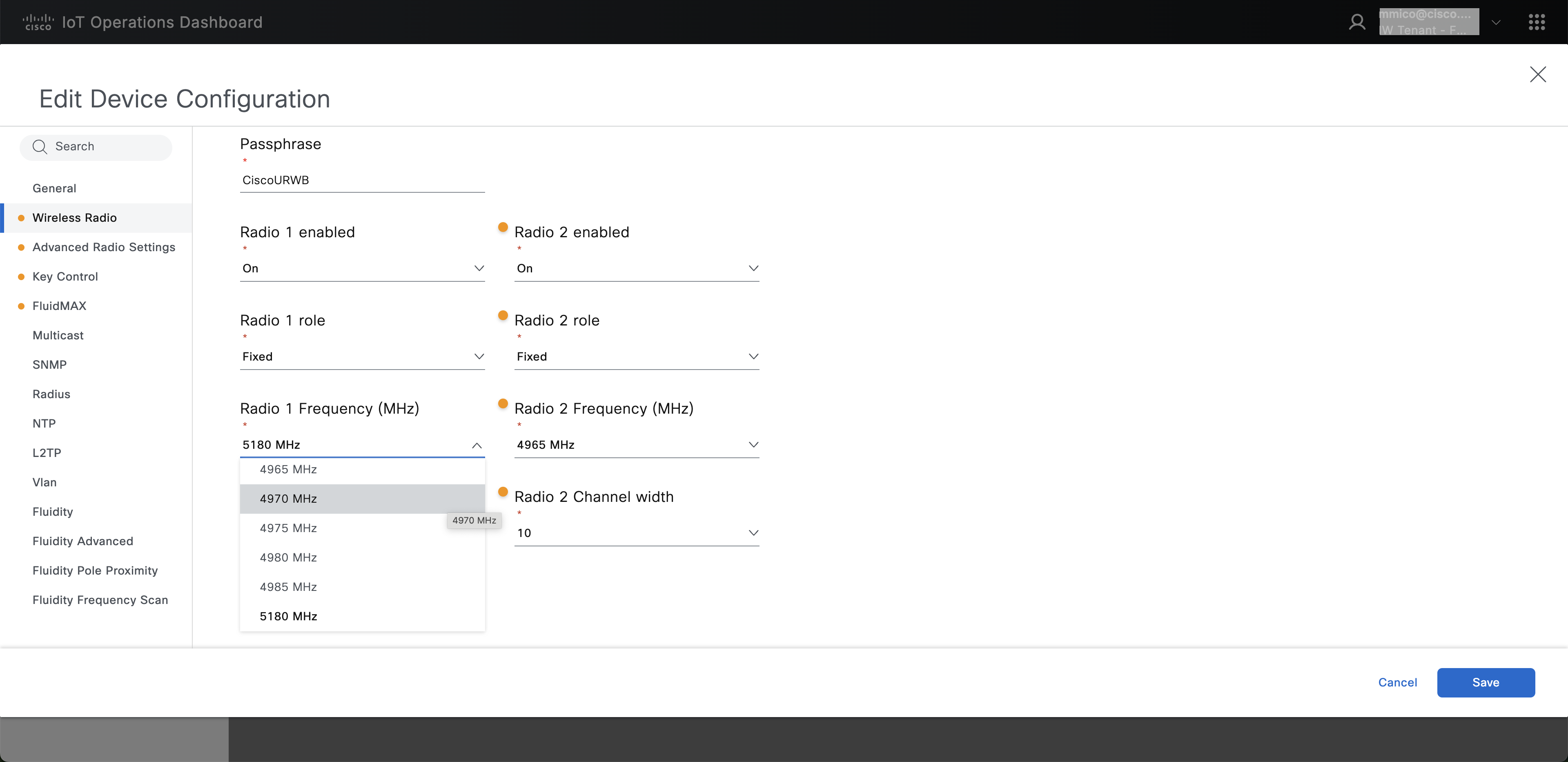
Apply configuration to connected devices or download the configuration for air-gapped devices. Applying the configuration to the device will unlock 4.9 GHz frequencies.