Reboot IW devices
This chapter describes the procedure to reboot multiple IW devices from the Inventory table.
Note: Devices must be online for the actions to be completed.
Note: IW Service doesn’t take into account network topology when sending commands to multiple devices simultaneously. If an upstream device operation causes connectivity loss, operations to downstream devices may fail. Therefore, the user should consider this when selecting multiple devices.
- In the Inventory table, select one or more devices.
- Click More Actions > Reboot.
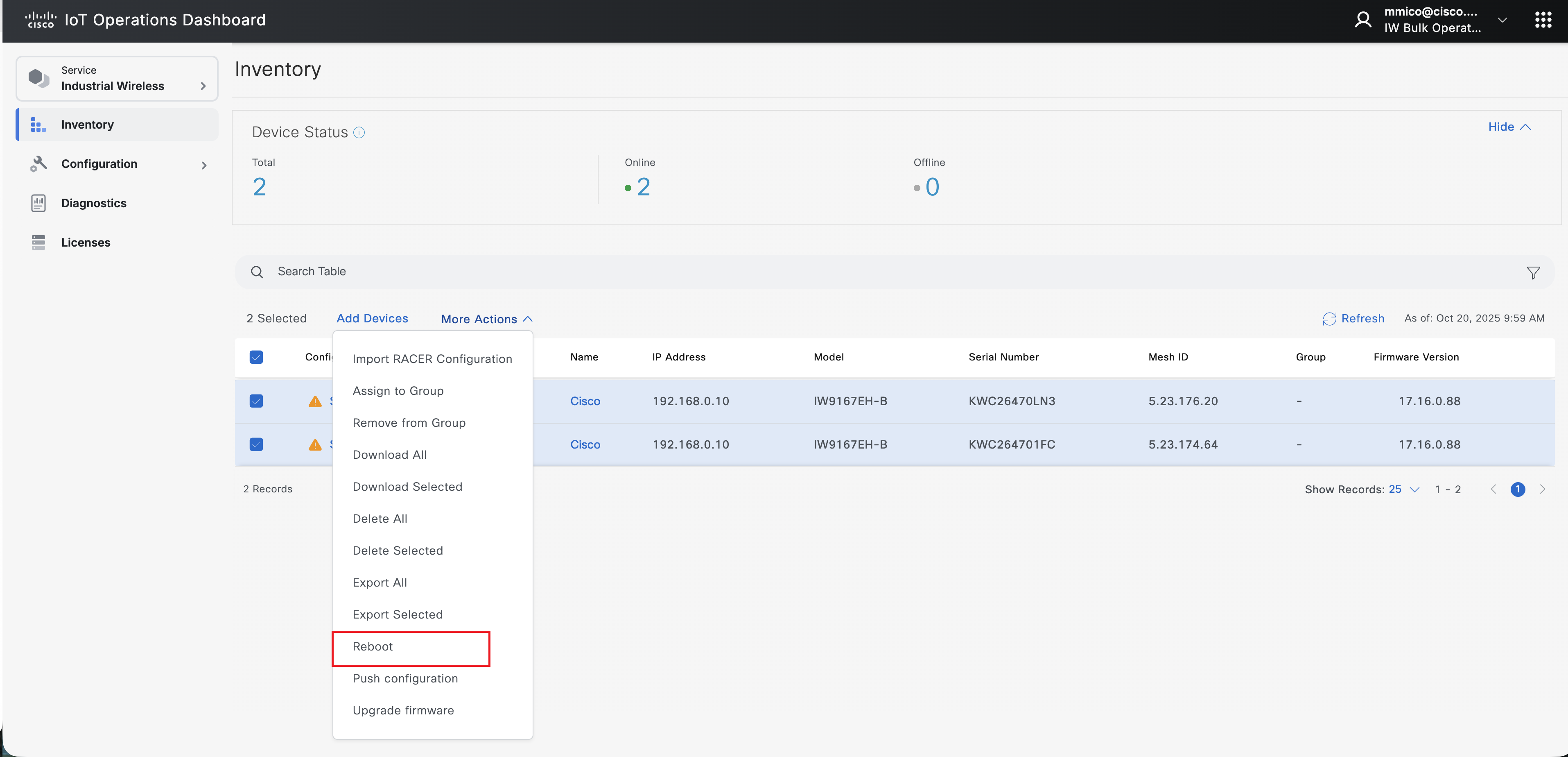
A confirmation pop-up appears.
3. Click Confirm.
After the confirmation, the listed devices reboot without any configuration changes.