Smart Licensing for IoT platforms
What is Smart Licensing?
Smart Licensing is not an enforcement mechanism. It merely captures and reports license ownership and consumption details as sent by a Cisco product. Smart licensing devices with Smart Licensing can report back to the Cisco Smart License Manager in one of several ways:
- They can connect directly. They can connect directly through an on-site proxy.
- They can report intermittently through an optional "satellite" interface. This is especially useful for secure environments, or for configurations where a physical interface is not possible.
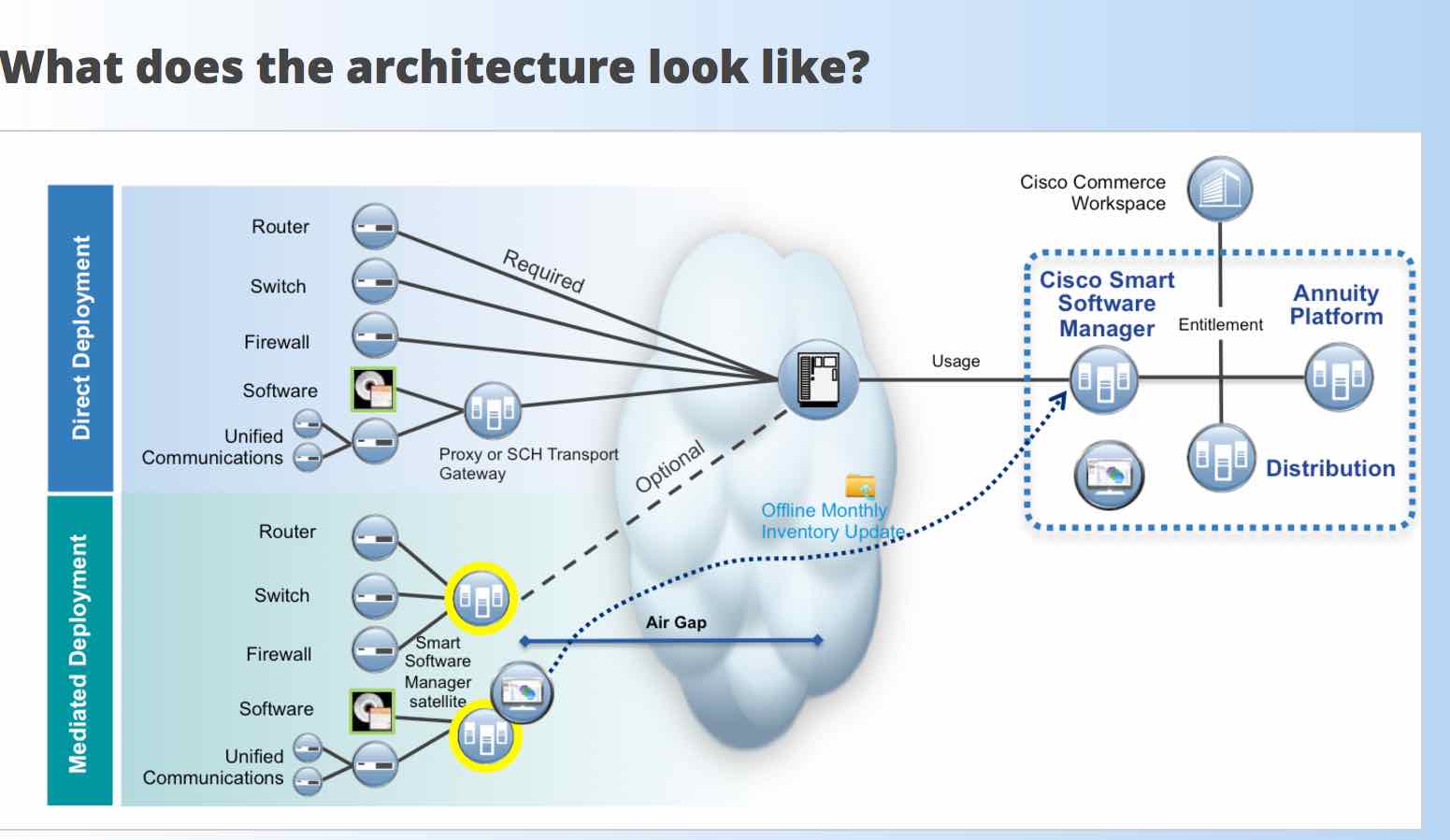
Before proceeding through this section, please review the following pages to understand the Cisco Smart Licensing Program.
https://www.cisco.com/c/en/us/buy/smart-accounts/software-licensing.html
https://www.cisco.com/c/en/us/buy/smart-accounts.html
IoT platforms supported
Currently below platforms are supported with Smart Licensing. Smart Licensing is enabled by default.
- IR8xx series routers
Requirements
- User will need a Smart Account in Cisco Smart Software Manager to manage IOx Smart Licenses
Workflow
User will need to register their IOx platforms with the valid registration token obtained from Smart Account in Cisco Smart Software Manager. Same token can be used to register for all the IOx devices. Here is a snippet from Smart Account from where the user can obtain the registration token.
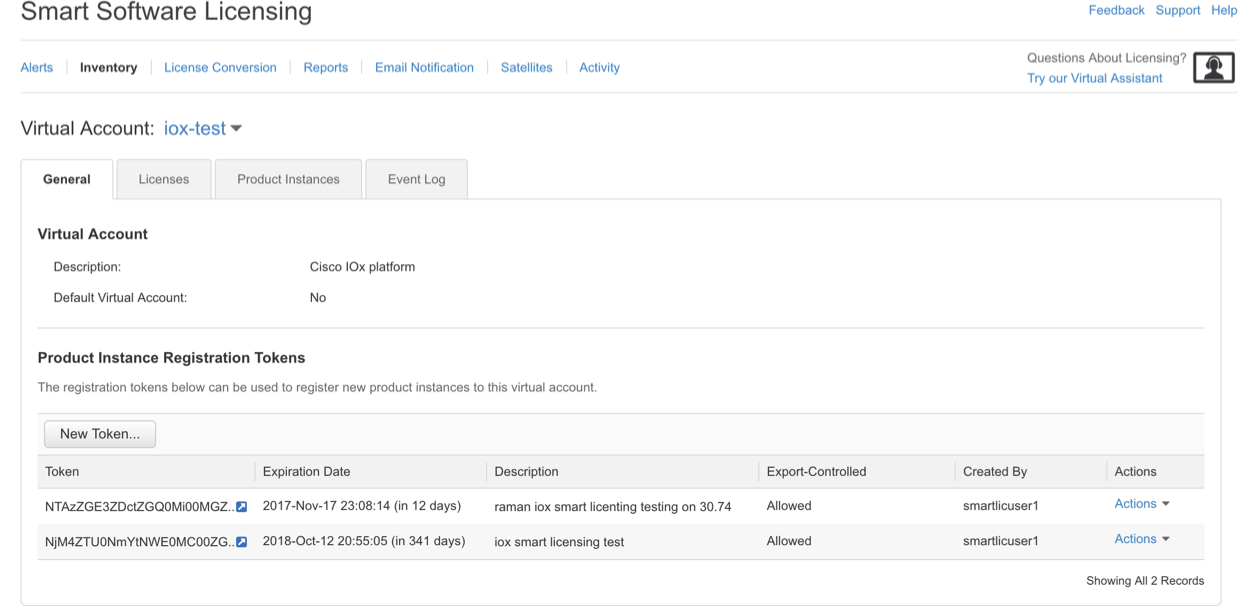
Here is the ioxclient command to register a device using id token. Once a device is registered, the IOx license consumed by that device will be reflected in Smart Account and enables the user to easily manage the total set of IOx licenses.
~$ioxclient license smart register idtoken
NAME:
   idtoken - Use Registration Token to register device

USAGE:
   command idtoken <token> [force]
Here is the ioxclient command to deregister a device.
~$ ioxclient license smart deregister
Currently active profile :  mycaf
Command Name:  license-smart-deregister
And to view the current status of license on a device using ioxclient, use the following command.
~$ ioxclient show license
NAME:
   ioxclient show license - Show Smart Licensing state information

USAGE:
   ioxclient show license command [command options] [arguments...]

COMMANDS:
   status, st           Show overall Smart Licensing status
   summary, sum         Show Smart Licensing status summary
   UDI, udi             Show the Device UDI
   usage, u             Show Smart Licensing license usage
   all, a               Show all Smart Licensing information
   tech-support, ts     Show Smart Licensing tech support information
   config, conf         Show Smart Licensing configuration
   help, h              Shows a list of commands or help for one command

OPTIONS:
   --help, -h                   show help
   --generate-bash-completion
For more information on Smart Licensing related ioxclient commands, refer this section of ioxclient commands.
Note:
- IOx does not restrict or enforce limitations in available feature set, if the device license status is Out of Compliance as of 1.5.0.0 release.
- Make sure to have correct IOS date and time, else license registration will fail