- Enter Bash Shell
In NX-OS, TCollector gets installed in the Bash Shell of the Cisco Nexus Switch.
  n9k-sw-1# run bash
  bash-4.2$ whoami
  admin
- Change the namespace interface in the shell to use "management"
This will move us into the management vrf and create a new shell.
  bash-4.2# sudo ip netns exec management bash
  bash-4.2# whoami
  root
  bash-4.2#
- Add the DNS server to shell
  bash-4.2# vi /etc/resolv.conf

  nameserver <<DNS Server>>
- Create a new yum repository configuration file
  bash-4.2# pwd
  /etc/yum/repos.d
  bash-4.2#vi open-nxos.repo
  [open-nxos]
  name=open-nxos
  baseurl=https://devhub.cisco.com/artifactory/open-nxos/7.0-3-I2-1/x86_64/
  enabled=1
  gpgcheck=0
  metadata_expire=0
  cost=500
  sslverify=0
- Install TCollector
The TCollector client is available as an open source package, and can be downloaded directly onto the device through yum.
root@n9k-sw-1#yum install tcollector
Loaded plugins: downloadonly, importpubkey, localrpmDB, patchaction, patching, protect-packages
groups-repo | 1.1 kB 00:00 ...
localdb | 951 B 00:00 ...
patching | 951 B 00:00 ...
thirdparty | 951 B 00:00 ...
Setting up Install Process
Resolving Dependencies
--> Running transaction check
---> Package tcollector.noarch 0:1.0.1-10 will be installed
--> Finished Dependency Resolution
Dependencies Resolved
Package Arch Version Repository Size
Installing:
tcollector noarch 1.0.1-10 thirdparty 59 k
Transaction Summary
=========================================================================================================
Install 1 Package
Total download size: 59 k
Installed size: 190 k
Is this ok [y/N]: y
Downloading Packages:
Running Transaction Check
Running Transaction Test
Transaction Test Succeeded
Running Transaction
Warning: RPMDB altered outside of yum.
Installing : tcollector-1.0.1-10.noarch 1/1
Starting tcollector: [ OK ]
Installed:
tcollector.noarch 0:1.0.1-10
Complete!
- Verify TCollector is running
root@n9k-sw-1#ps -ef | grep tcoll
root 22788 1 0 22:35 ? 00:00:00 /usr/bin/python /usr/local/tcollector/tcollector.py -D -H 10.6.54.60 -t host=n93k-2 -P /var/run/tcollector.pid --reconnect-interval 0 --max-bytes 67108864 --backup-count 0 --logfile /var/log/tcollector.log
nobody 22830 22788 0 22:35 ? 00:00:00 /usr/bin/python /usr/local/tcollector/collectors/0/netstat.py
nobody 22872 22788 0 22:35 ? 00:00:00 /usr/bin/python /usr/local/tcollector/collectors/0/dfstat.py
root 22908 22788 0 22:35 ? 00:00:00 /usr/bin/python /usr/local/tcollector/collectors/0/smart-stats.py
nobody 22942 22788 0 22:35 ? 00:00:00 /usr/bin/python /usr/local/tcollector/collectors/0/iostat.py
nobody 22985 22788 0 22:35 ? 00:00:00 /usr/bin/python /usr/local/tcollector/collectors/0/procstats.py
nobody 23036 22788 0 22:35 ? 00:00:00 /usr/bin/python /usr/local/tcollector/collectors/0/ifstat.py
nobody 23040 22788 0 22:35 ? 00:00:00 /usr/bin/python /usr/local/tcollector/collectors/0/procnettcp.py
root 23098 16343 0 22:35 pts/0 00:00:00 grep tcoll
- TSDB Interface
Log into the TSDB interface to view the data.
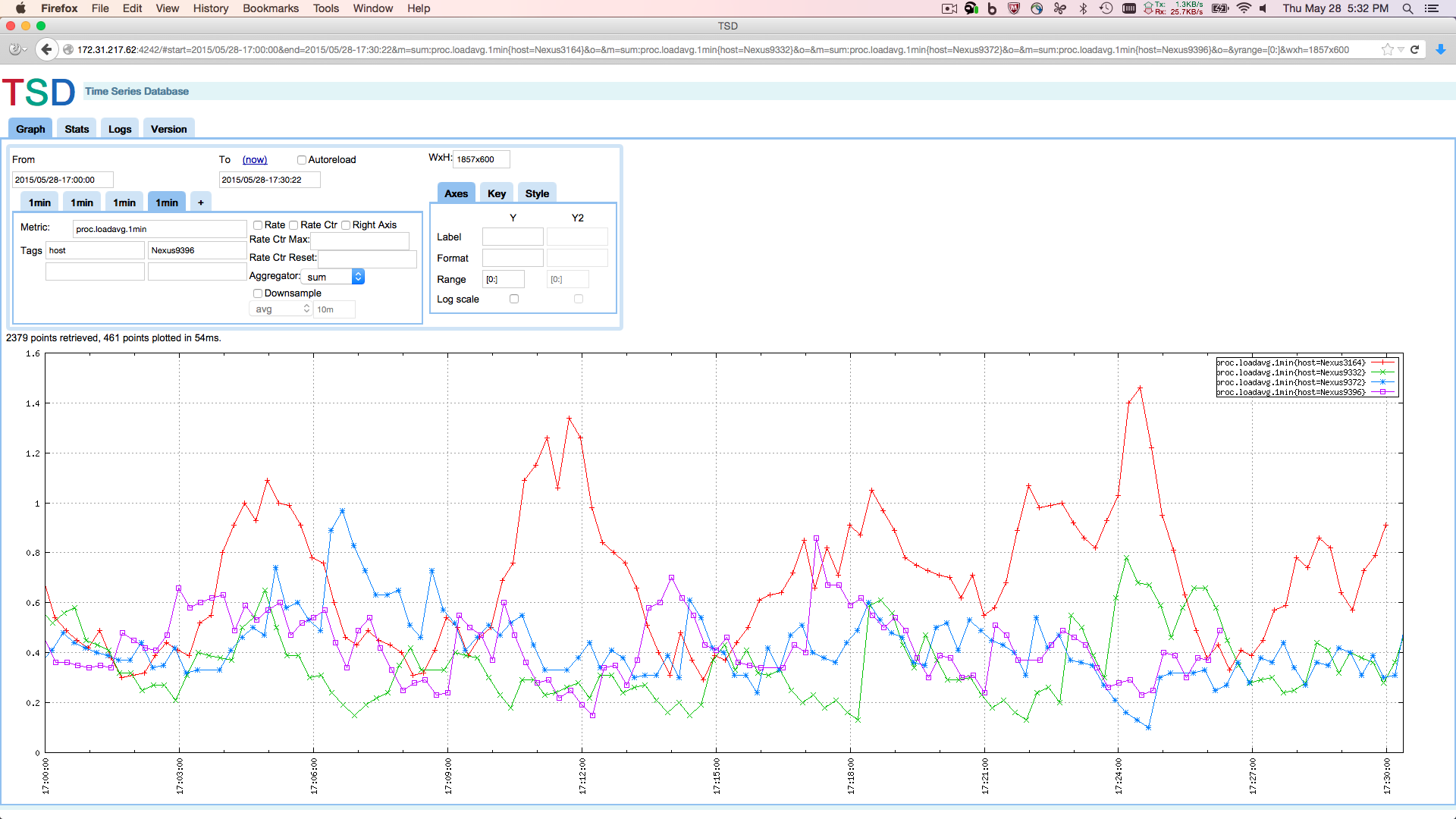
Using TCollector Agent on Open NX-OS to Monitor Switch Performance with OpenTSDB