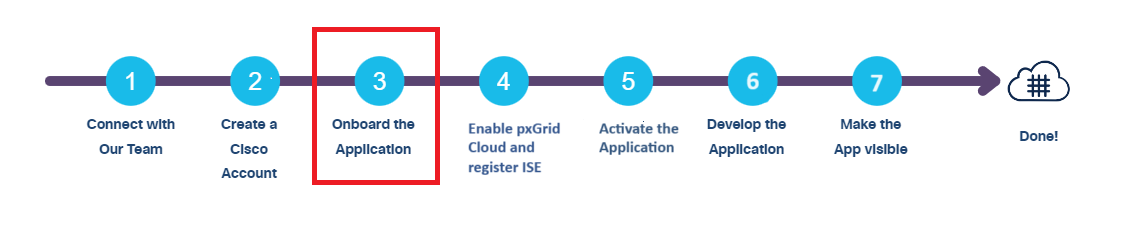
Onboard the App to the pxGrid Cloud App Store
Once you're ready to onboard your brand new app, please share with the following information with our team (email: pxgrid-cloud-onboarding@cisco.com):
App name
App description
Region (US, EU, or APJC)
App owner name
App owner email
Vendor
Categories
Tenant name (the name that you entered while creating the account)
Supported products (ISE)
Scopes
The scopes available for configuration will depend on your app. Some of the following scopes may be available.
Scope Description Profiler ISE Profiler configuration RADIUS RADIUS authentication failures Session ISE session directory TrustSec TrustSec related topics (configuration, SXP, and so on) UDN User Defined Networks (UDN) related topics ANC Adaptive Network Control (ANC) configuration MDM Mobile Device Management (MDM) related topics Echo Echo service topics used for testing Status: Trial (for initial development)
This app inherits the scopes that are created for the offers to which this app is integrated. For more information about scopes, see the Cisco pxGrid Cloud API Reference Guide.
The status of the app is set as Trial and is made visible only to the account that raised the onboarding request. The support team notifies the app owner when the app is onboarded to the pxGrid Cloud App Store and ready for use.
Once registered, the application tile is made available in the DNA Cloud account for testing.
In addition, the following details are provided to you for development:
- Application ID
- API Key (This is a secret key and must be kept secure)
- Global URL (For example: https://dnaservices.cisco.com). The Global URL should be used for the API in the application or device registry and their management. This Global URL deals with the configuration of applications and devices.
- Regional URL (For example for US region: https://neoffers.cisco.com). The Regional URL should be used for API-proxy and Publish-Subscribe. The device data goes into the Regional URL.
You must ask for the above details from our team (email: pxgrid-cloud-onboarding@cisco.com), in case the information is not provided to you already. The URLs vary with region and we recommend that you verify the URLs with our team before using them.
Network Access Requirement
The following addresses can be accessed from the application through the SDK. These hostnames resolve to multiple IP addresses. These hostnames must be permitted in case there is a firewall.
- Cisco DNA Center: www.ciscoconnectdna.com
- US: neoffers.cisco.com
- EU: neoffers-de.cisco.com
- APJC: neoffers-sg.cisco.com
Note:
- pxGrid Cloud supports IPv4 addressing only.