Configure Network Devices for TrustSec
Define the Network Devices for the TrustSec operation. The Cisco Catalyst 3750x switch and the ASA 5505 have been defined.
Cisco Catalyst 3750-x
- Select Work Centers > TrustSec > Components > Network Devices.
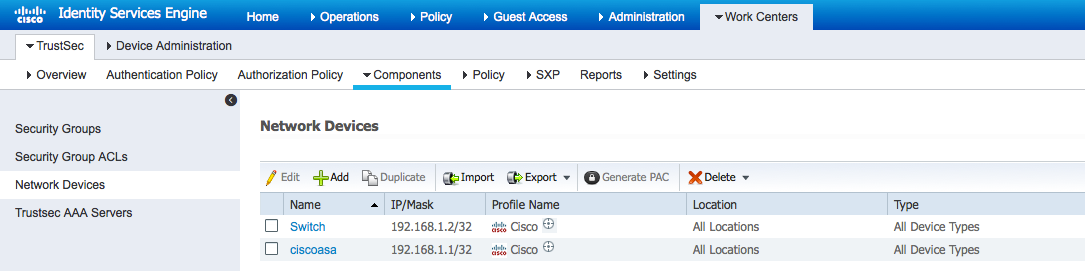
- Select Work Centers > TrustSec > Components > Network Devices.
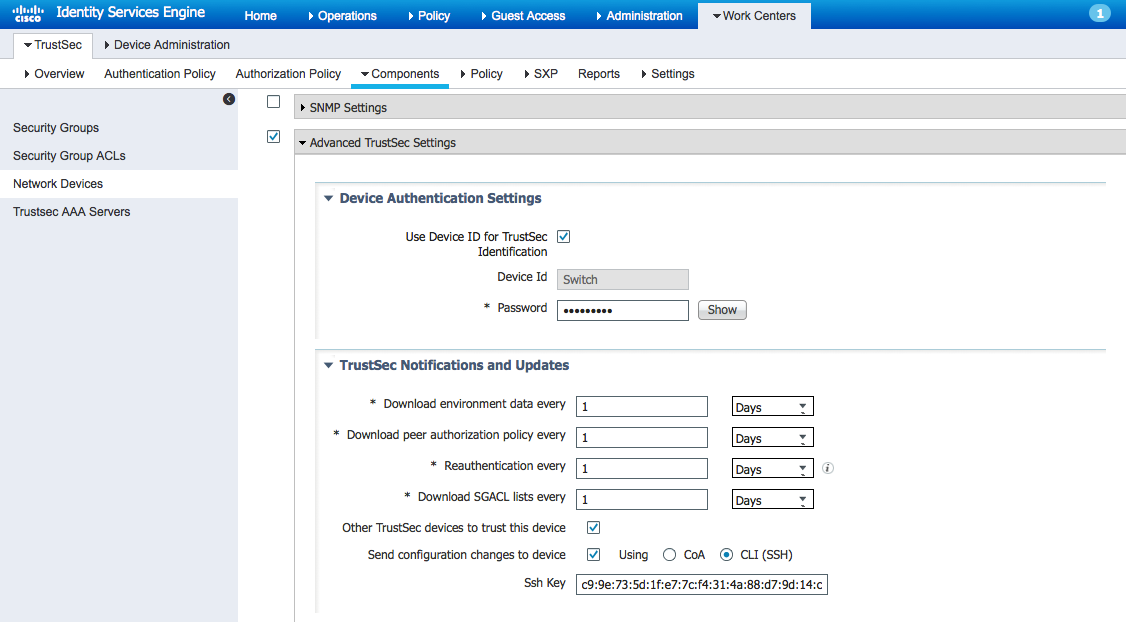
- Select Use Device ID for TrustSec Identification.
- Select Send configuration changes to device using CLI (SSH).
Note: The SSH key is needed. If the SSH key is not known, the IP address of the device under the known-hosts file can be deleted. When using ssh into the IP address, the SSH key is displayed.
- Under Device Configuration Deployment, enable Include this device when deploying Security Group Tag Mapping Updates.
- Enter Device Interface Credentials information.
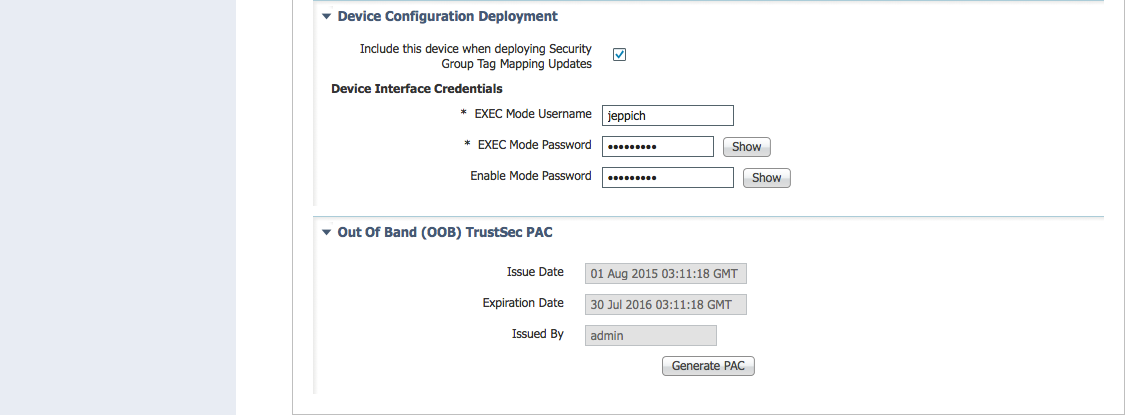
- Generate PAC, if required.