Session Subscribe
Verification
This test verifies that once a 3rd party system has successfully registered to the pxGrid controller, the pxGrid client subscribes to the ISE published Session Directory to receive notifications in real-time.
Definition
Once the client has successfully registered and authorized to the session and ANC group by the pxGrid controller, the client will subscribe to the capabilities and obtain relevant session information for the authenticated user. The ISE MnT node will publish an ISE Session Directory as a topic to the pxGrid controller. The pxGrid client will subscribe to this capability and obtain the authenticated user's active sessions and notifications in real-time.
Example
The pxGrid client will subscribe to the Session Directory and receive notifications from user1, user2, and user3 authentications in real-time and note the available contextual information.
- Run session_subscribe script
Run session_subscribe script
./session_subscribe.sh -a 192.168.1.23 -u SIM01 -k alpha.jks -p cisco123 -t alpha_root.jks -q cisco123
Results
------- properties -------

version=1.0.2-30-SNAPSHOT

hostnames=192.168.1.23

username=SIM01

group=Session

description=null

keystoreFilename=alpha.jks

keystorePassword=cisco123

truststoreFilename=alpha_root.jks

truststorePassword=cisco123

--------------------------

10:41:17.909 [Thread-1] INFO com.cisco.pxgrid.ReconnectionManager - Started

Connecting...

Connected

Filters (ex. '1.0.0.0/255.0.0.0,1234::/16,...' or <enter> for no filter): 10:41:19.311 [Thread-1] INFO com.cisco.pxgrid.ReconnectionManager - Connected

Connected
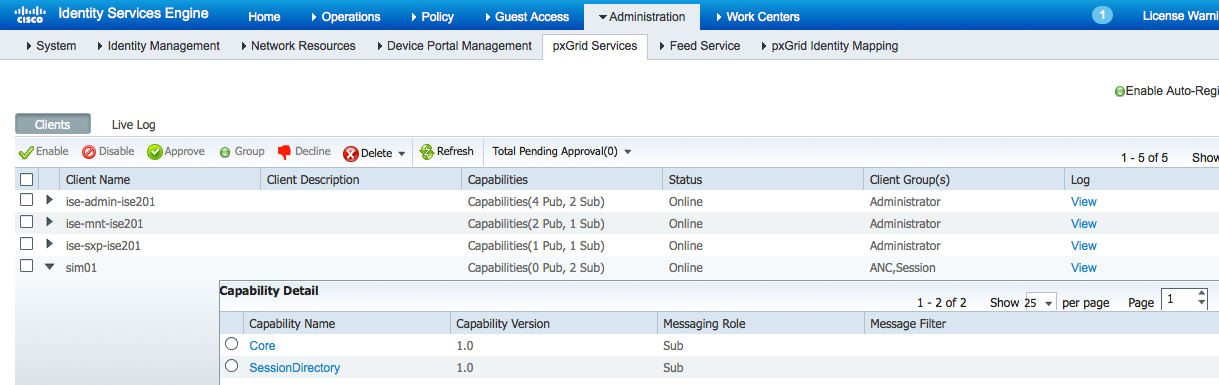
- Select Administration>pxGrid Services
The pxGrid client SIM01 has subscribed to the Session Directory.
- Run RADIUS Simulator on the client PC to simulate IEEE 802.1X authentications for user1, user2 and user3.
- Run RADIUS Simulator for user1 starting with RadiusAuthentication.
Note: It is important that the username, audit_session_id, acct_session_id, calling_station_id, framed_ip_address are different for each user. The placement order is essential.
It is also important to include the acct_session_id; otherwise you will see the previous user's session.
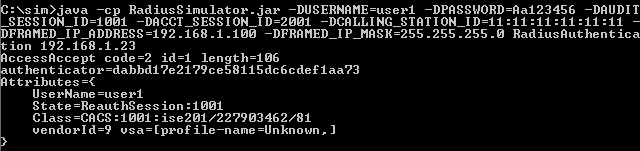
- Run RADIUS Simulator for user1 with RadiusAccountingStart

- Run RADIUS Simulator for user2 with RadiusAuthentication
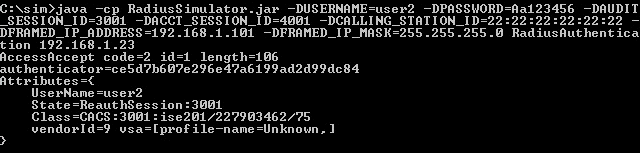
- Run RADIUS Simulator for user2 with RadiusAccounting

- Run RADIUS Simulator for user3 with RadiusAuthentication
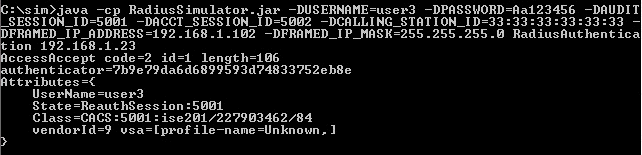
- Run RADIUS Simulator for user3 with RadiusAccountingStart

- Note the available contextual information below for each user session highlighted. These session objects can be used in the third party application to gain more context on the event.
Available contextual information
./session_subscribe.sh -a 192.168.1.23 -u SIM01 -k alpha.jks -p cisco123 -t alpha_root.jks -q cisco123

------- properties -------

version=1.0.2-30-SNAPSHOT

hostnames=192.168.1.23

username=SIM01

group=Session

description=null

keystoreFilename=alpha.jks

keystorePassword=cisco123

truststoreFilename=alpha_root.jks

truststorePassword=cisco123

--------------------------

11:28:19.187 [Thread-1] INFO com.cisco.pxgrid.ReconnectionManager - Started

Connecting...

Connected

Filters (ex. '1.0.0.0/255.0.0.0,1234::/16,...' or <enter> for no filter): 11:28:20.547 [Thread-1] INFO com.cisco.pxgrid.ReconnectionManager - Connected

press <enter> to disconnect...session notification:

Session={ip=[192.168.1.101], Audit Session Id=3001, User Name=user2, AD User DNS Domain=null, AD Host DNS Domain=null, AD User NetBIOS Name=null, AD Host NETBIOS Name=null, Calling station id=22:22:22:22:22:22, Session state=STARTED, ANCstatus=null, Security Group=null, Endpoint Profile=Unknown, NAS IP=192.168.1.37, RADIUSAVPairs=[ Acct-Session-Id=4001], Posture Status=null, Posture Timestamp=, Session Last Update Time=Sun Aug 02 12:27:12 EDT 2015}

session notification:

Session={ip=[192.168.1.100], Audit Session Id=1001, User Name=user1, AD User DNS Domain=null, AD Host DNS Domain=null, AD User NetBIOS Name=null, AD Host NETBIOS Name=null, Calling station id=11:11:11:11:11:11, Session state=STARTED, ANCstatus=null, Security Group=null, Endpoint Profile=Unknown, NAS IP=192.168.1.37, RADIUSAVPairs=[ Acct-Session-Id=2001], Posture Status=null, Posture Timestamp=, Session Last Update Time=Sun Aug 02 12:30:44 EDT 2015}

session notification:

Session={ip=[192.168.1.102], Audit Session Id=5001, User Name=user3, AD User DNS Domain=null, AD Host DNS Domain=null, AD User NetBIOS Name=null, AD Host NETBIOS Name=null, Calling station id=33:33:33:33:33:33, Session state=STARTED, ANCstatus=null, Security Group=null, Endpoint Profile=Unknown, NAS IP=192.168.1.37, RADIUSAVPairs=[ Acct-Session-Id=5002], Posture Status=null, Posture Timestamp=, Session Last Update Time=Sun Aug 02 12:35:59 EDT 2015}
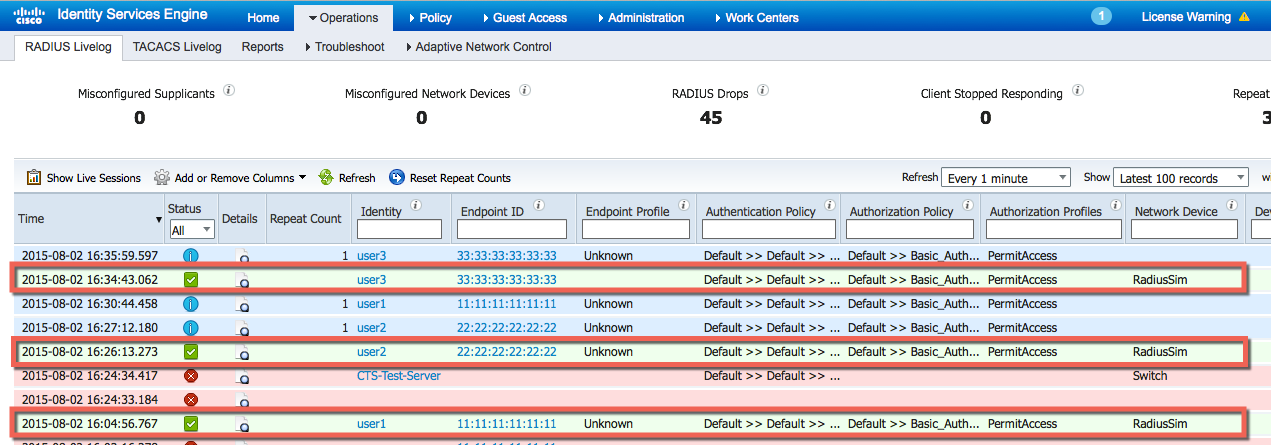
- Select Operations>RADIUS Livelog to see the events.