Using Sample Certificates from SDK for pxGrid Testing
Upload the rootSample.crt to the ISE pxGrid node. This serves as the trusted certificate. Also upload the iseSample1.crt and iseSample1.key files. This serves as the pxGrid client identity certificate. Note that the private key password is cisco123.
The identity store iseSample1.jks file and trust store rootSample.jks files will be called from the pxGrid script.
Note: This is for testing only, not to be used in production ISE deployments.
- Upload rootSample.cert file into the ISE system trust store:
- Select Administration > System > Certificate Management > Trusted Certificates to import the rootSample.crt file
- Enable Trust for authentication within ISE
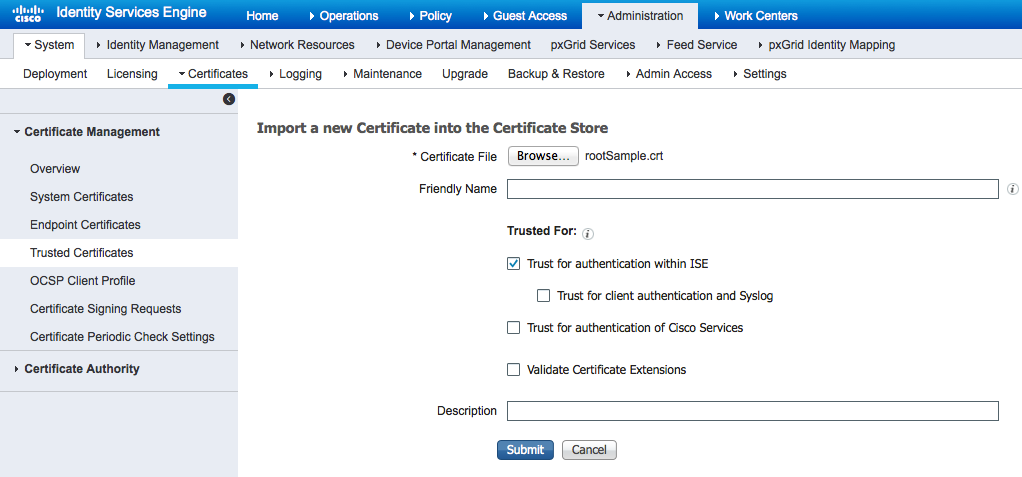
- Select Submit
- Upload iseSample1.crt and iseSample1.key into the ISE system certificate store
- Select Administration > System > Certificate Management > System Certificates to import the iseSample1.crt file
- Select Administration > System > Certificate Management > System Certificates to import the iseSample1.key file
- Enter cisco123 for the password
- Enable certificate usage for pxGrid
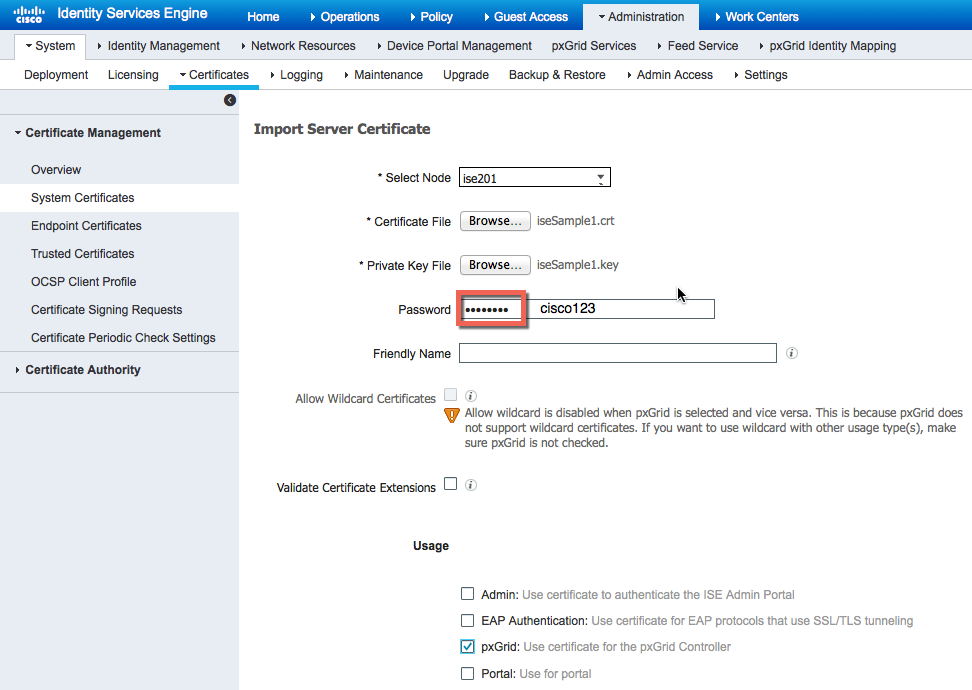
- Select Submit
Testing pxGrid Client and ISE pxGrid Node
Run the pxGrid multigroupclient script to register the pxGrid client with the ISE pxGrid node.
./multigroupclient.sh -a 192.168.1.23 -u SIM01 -k iseSample1.jks -p cisco123 -t rootSample.jks -q cisco123