Enabling Multichannel
In this step Customer Collaboration Platform is installed and integrated into the UCCE solution.
Procedure
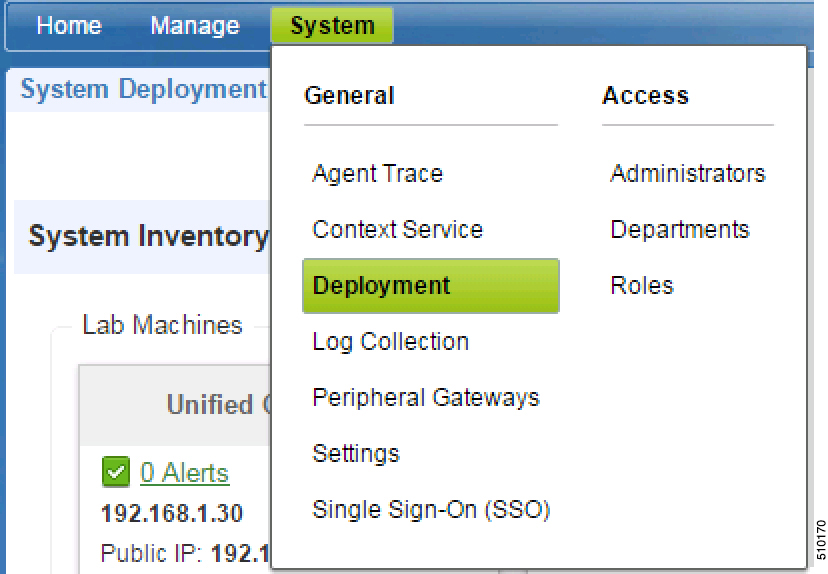
| Step 1 | Select
Deployment
from the
General tab within the
System
menu.
|
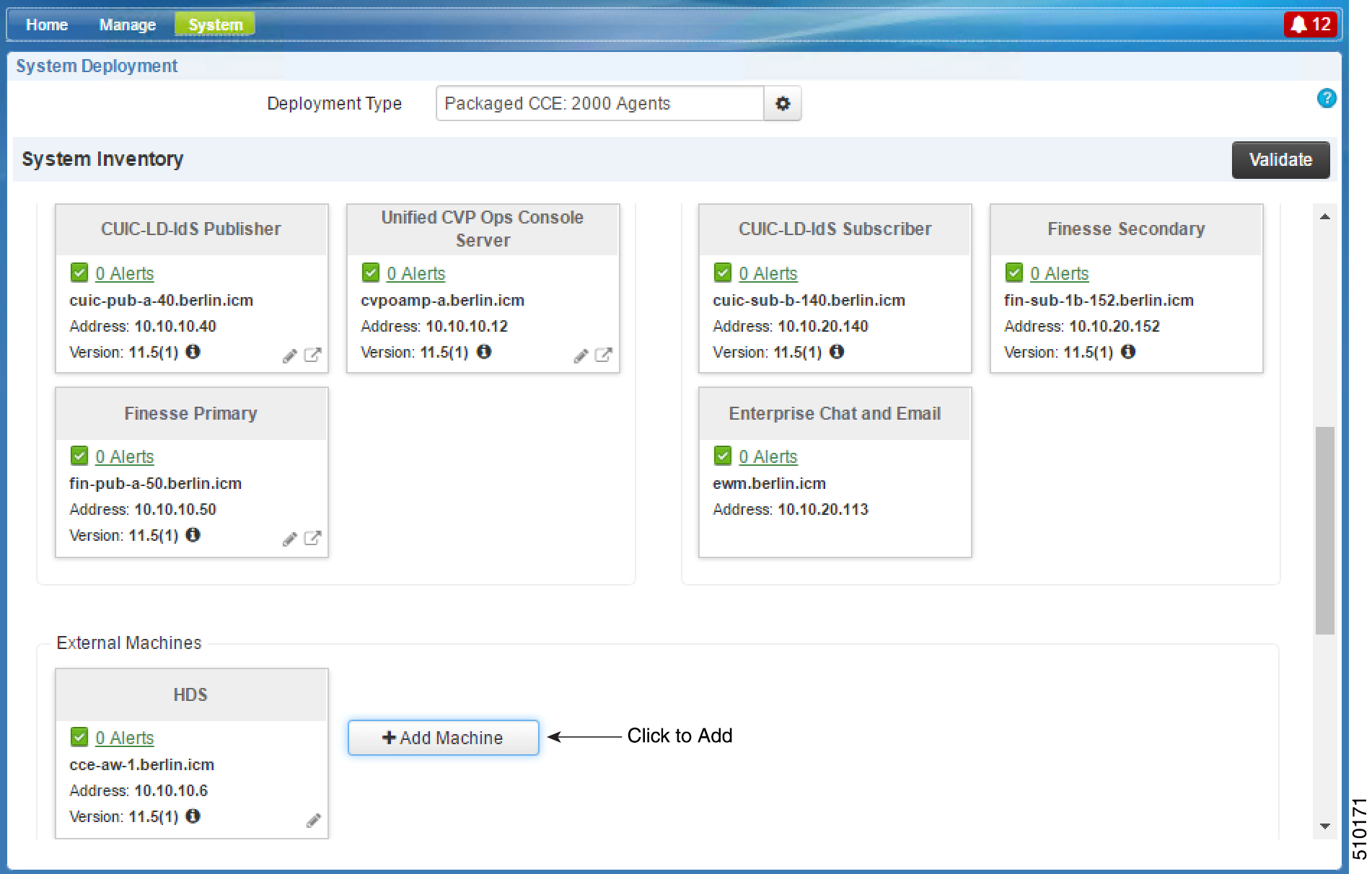
| Step 2 | In the
System
Deployment
screen, click
Add
Machine to add a Customer Collaboration Platform application.
|
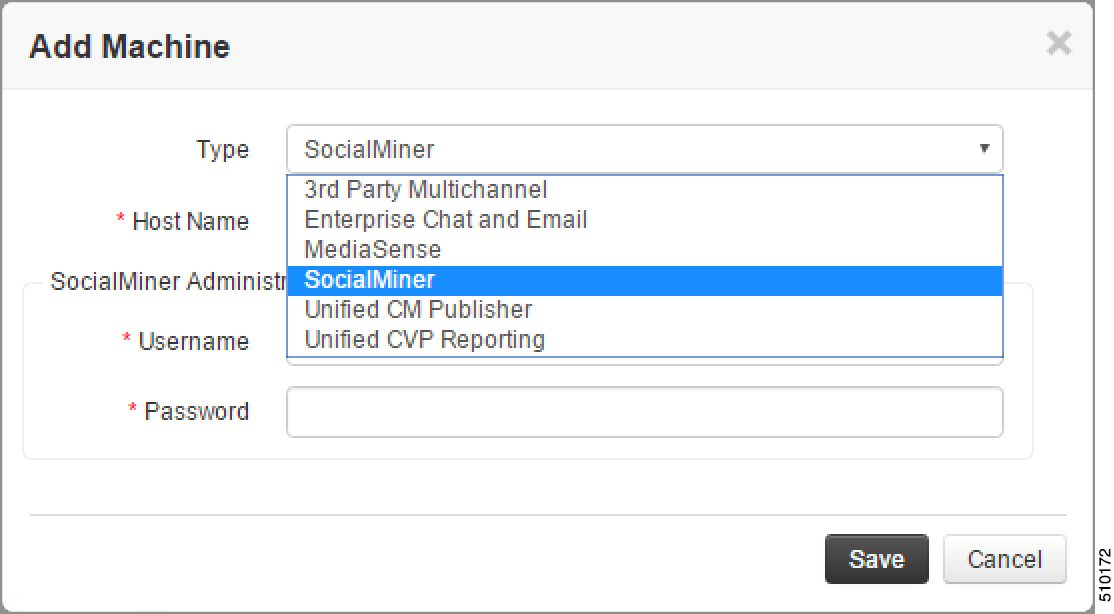
| Step 3 | Under
Type,
select
Customer Collaboration Platform.
|
The Customer Collaboration Platform application
is added in the
System Deployment
screen under
External
Machines.
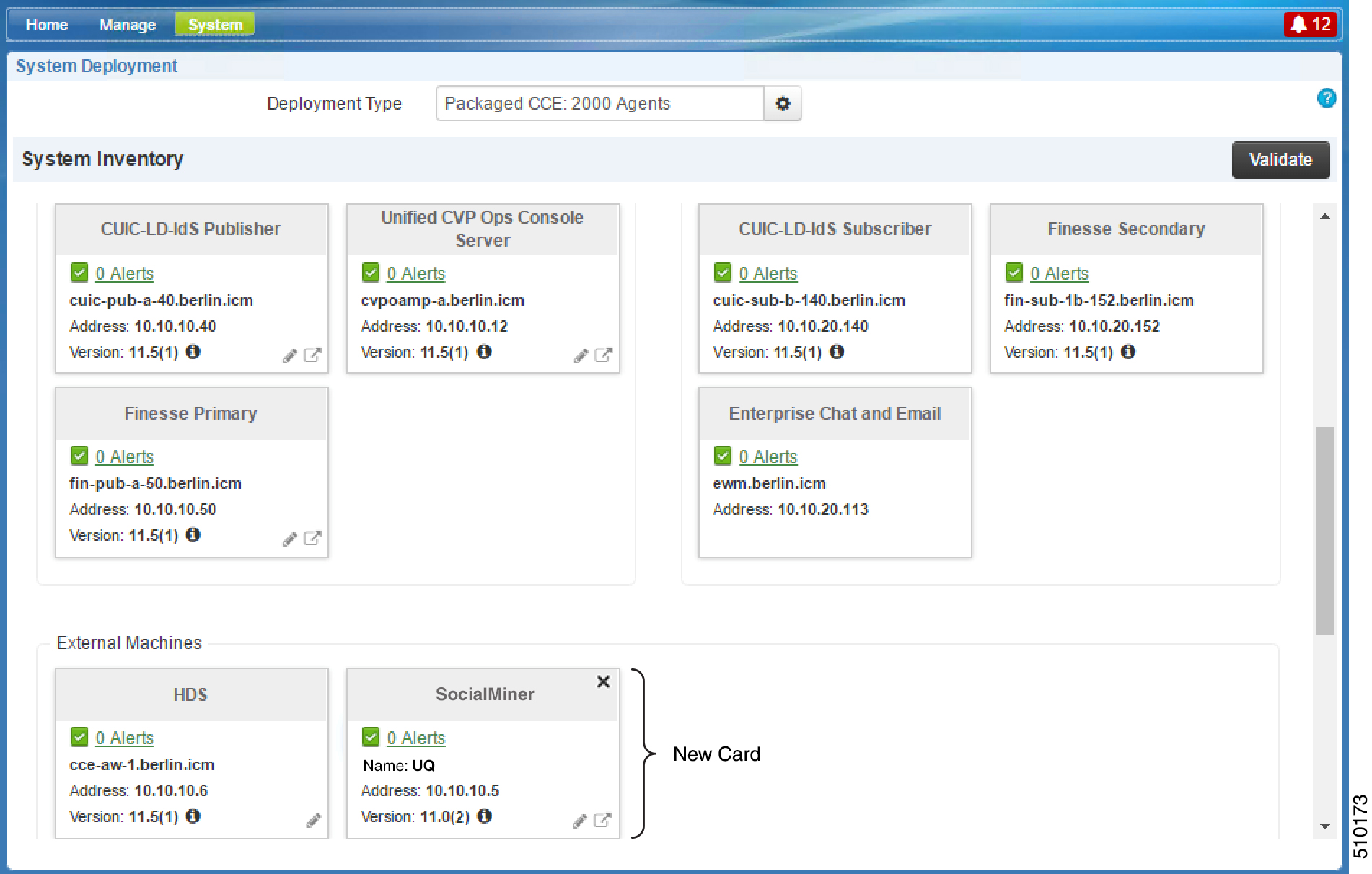
Adding Customer Collaboration Platform as an External Machine
When you add Customer Collaboration Platform as an External Machine in the Unified CCE Administration System Inventory, the system automatically performs the following:
- Enables and completes the CCE Configuration for Multichannel Routing settings in Customer Collaboration Platform Administration. These settings include the hostnames of the Unified CCE PGs and the Application Connection Port you specified when setting up the MR PG and PIM.
- Configures the Task feed and the associated campaign and Connection to CCE notification needed for the Task Routing feature, with the following names:
- Configures the Task feed
and the associated campaign and Connection to CCE notification needed for the
Task Routing feature, with the following names:
- Task feed: Cisco_Default_Task_Feed
- Campaign: Cisco_Default_Task_Campaign
- Notification: Cisco_Default_Task_Notification
- Tag: cisco_task_tag
 Note | If the Task feed has been configured to use a different tag, the Connection to CCE notification is configured to use that tag. |
Note | For the Customer Collaboration Platform Installation Guide, refer to:https://www.cisco.com/c/en/us/support/customer-collaboration/unified-contact-center-express/products-installation-guides-list.html |