Debt Management
This template is a shell for building out a debt management flow, it contains the logic to contact the customer regarding their outstanding debt and provides a menu system for them to handle this in a number of different ways. The options\branches will need to be configured to add the necessary integration points with your system, however there is supporting logic within the flow that can be utilised to assist in building this out. The flow is triggered from the event API and uses RCS as a channel
Initial Configuration
Configure RCS Channel
The Debt Management template is setup using RCS, if you are going to be using this as your channel then you will need to first configure RCS as an App within Connect (if you don't already have one).
Browse to Assets and Apps then click on Configure New App

Configure your app accordingly with your logos, contact details and information (see Connect documentation for more details) before clicking the Submit for Approval button to create your app
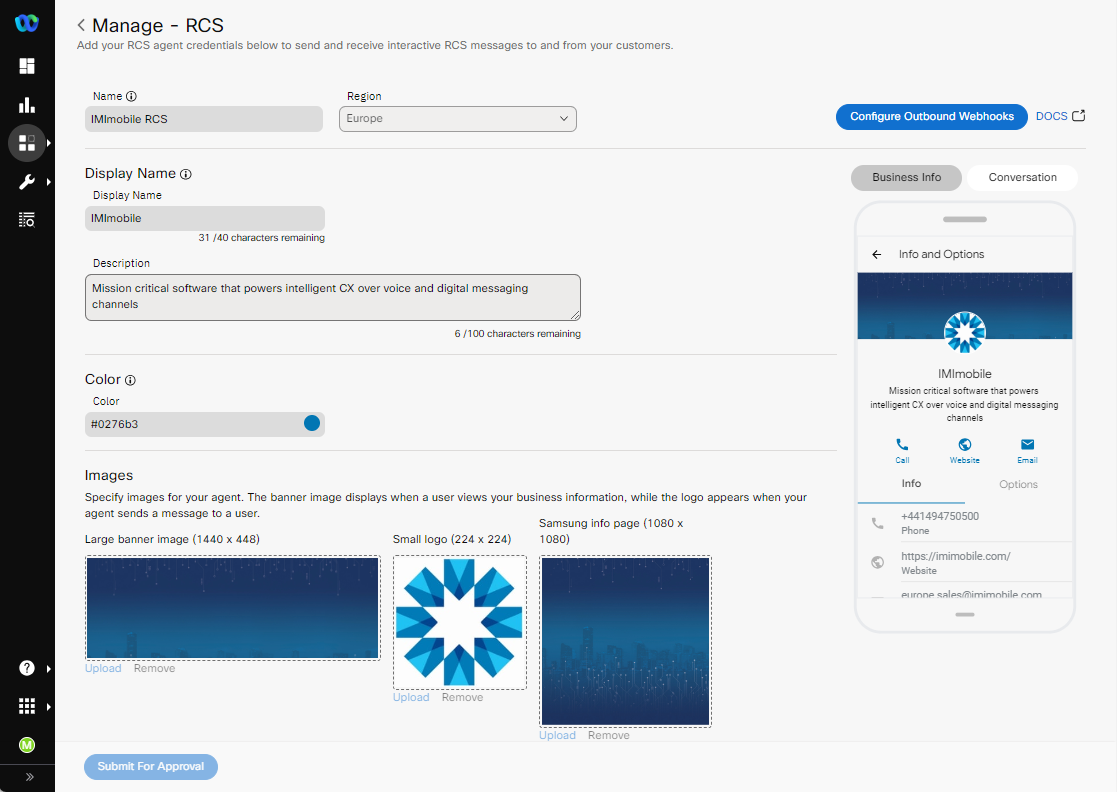
Import Template
When importing the flow, the first thing you will need to do is to configure the Custom Event
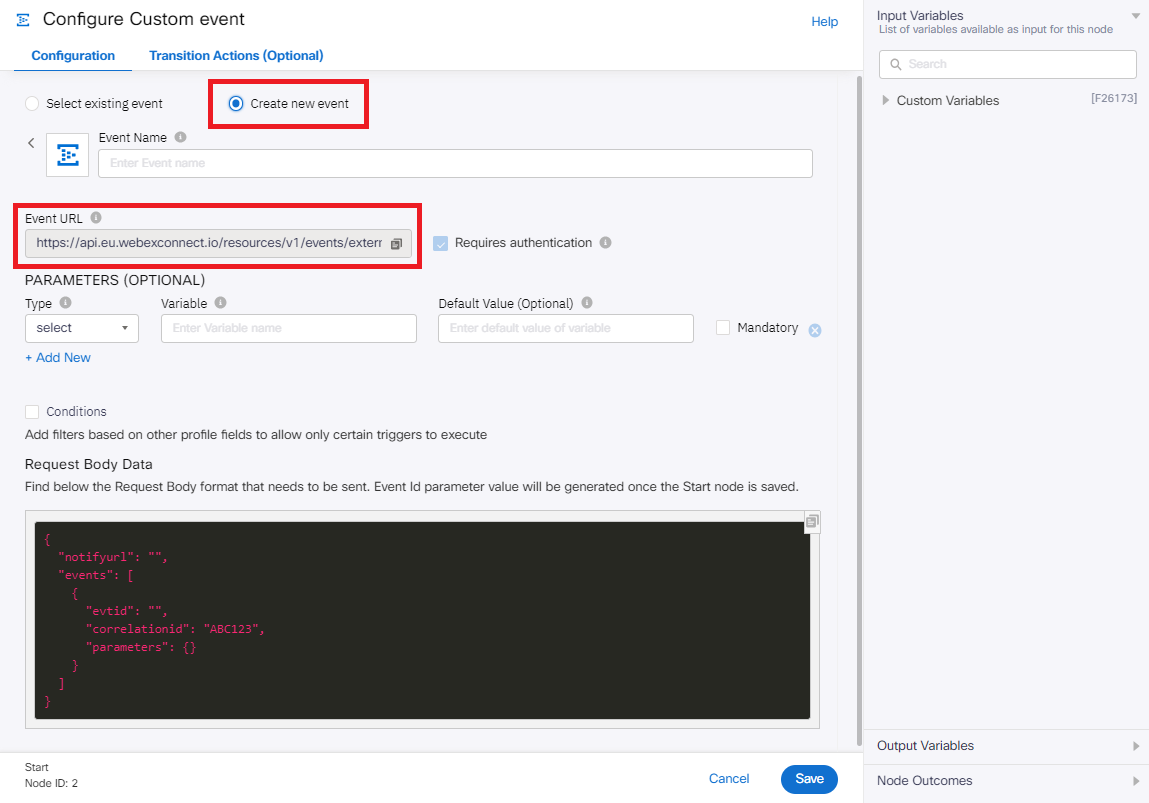
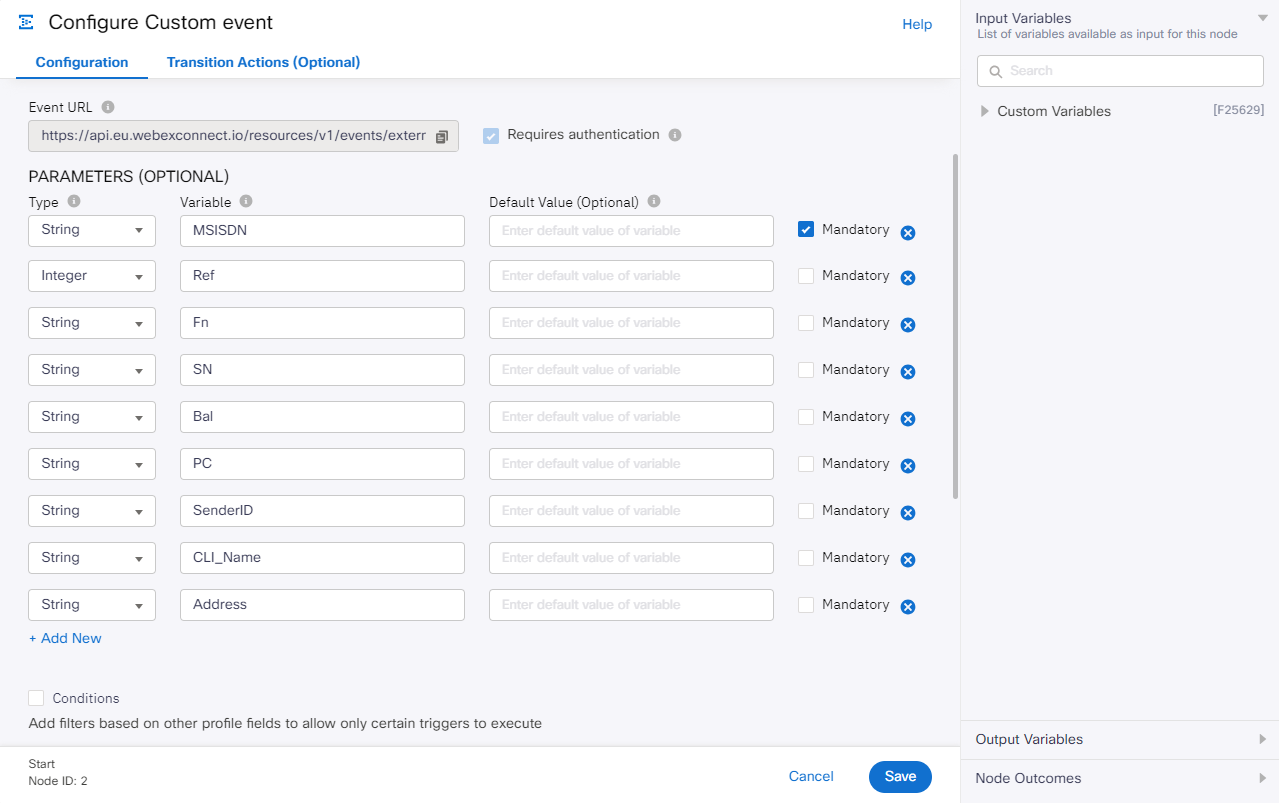
Select Create New Event and add in the following parameters. Please note, the Event URL is what you will need to trigger this event so please take a note of this URL
| Type | Variable |
|---|---|
| String | MSISDN |
| Integer | Ref |
| String | Fn |
| String | SN |
| String | Bal |
| String | PC |
| String | SenderID |
| String | CLI_Name |
| String | Address |
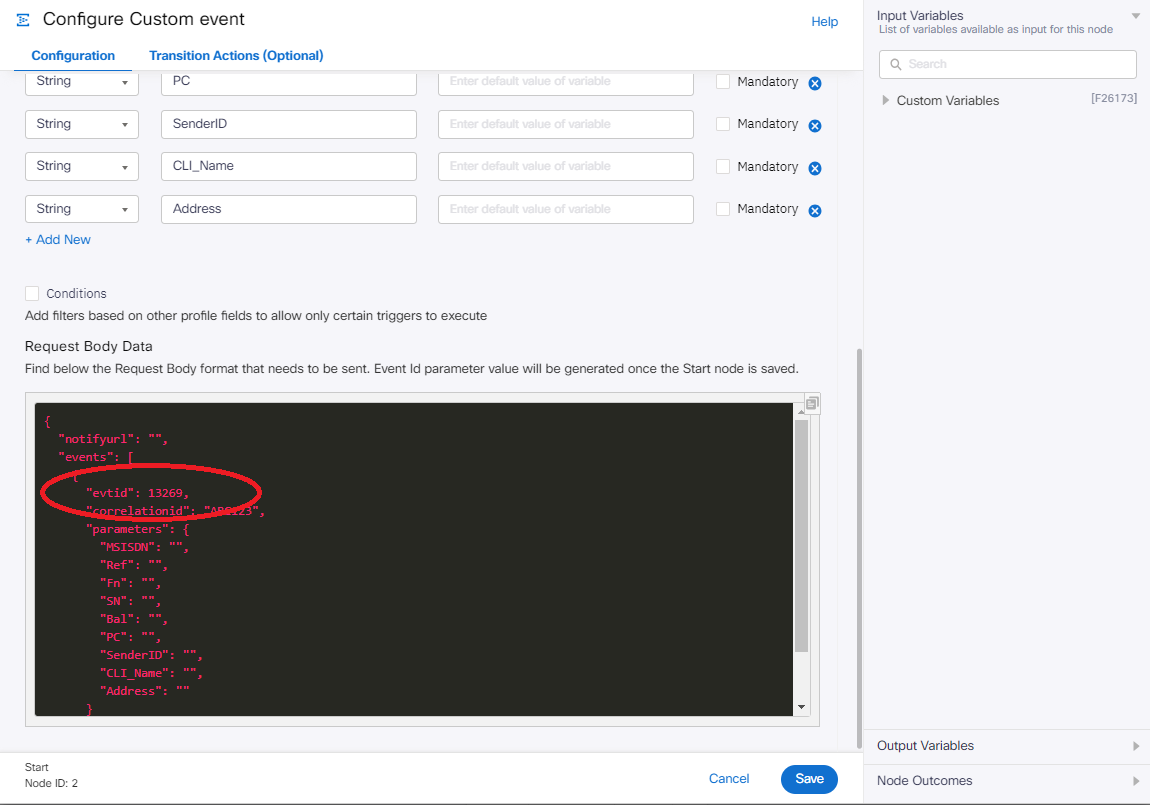
After saving this node, reopen it and check the Request Body Data section, you should now see an "evtid" populated here, take a copy of this payload as this is what you will need to send to the Event URL to trigger the flow. The "evtid" should remain static here whilst you populate the other variables.
In addition to the Event URL and Request Body Data, you will also need to pass in a Service Key, this can be obtained from within the service you are building this on Connect in the API section

When triggering the Event URL you will need to pass this as a header named key with the service key value to authenticate on the API
Flow Details
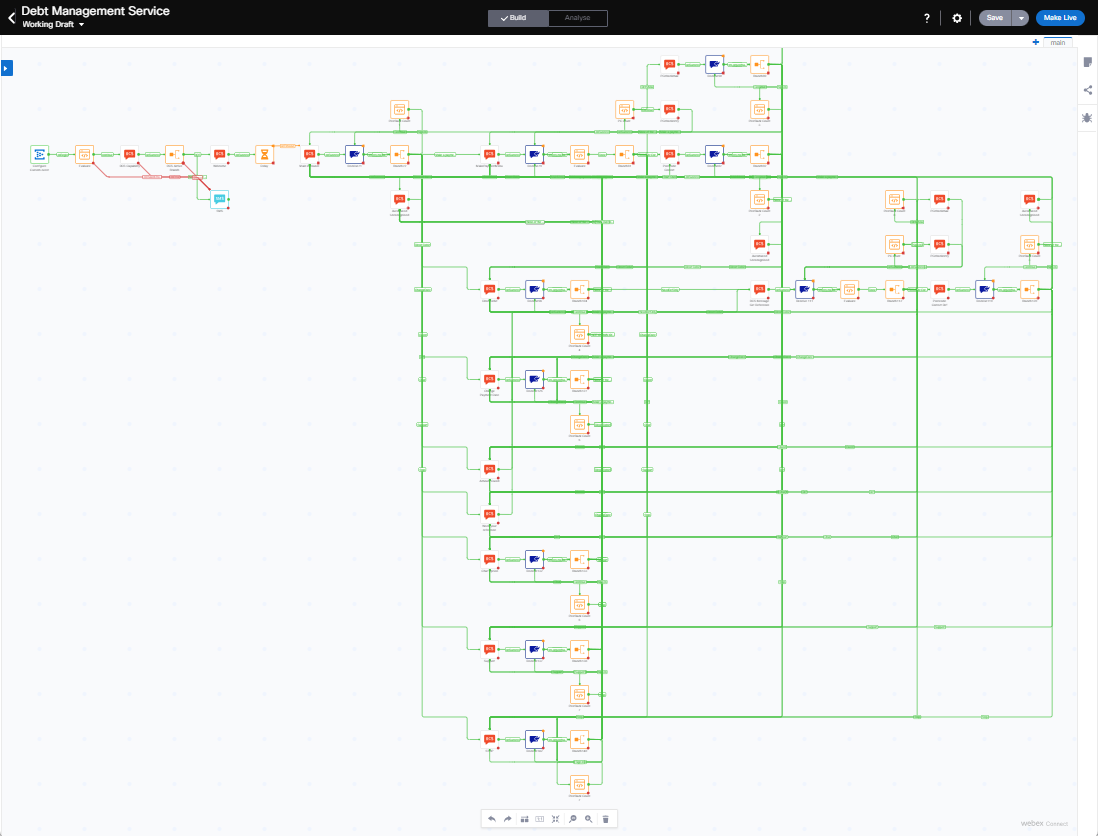
The template is setup as a menu system that branches out on the different options, this is a template for building out your solution and will require additional setup and integration into your system to link in on the relevant actions in the template. The flow is triggered by a custom event and also performs an RCS compatibility check before sending any messages
RCS Capability Check
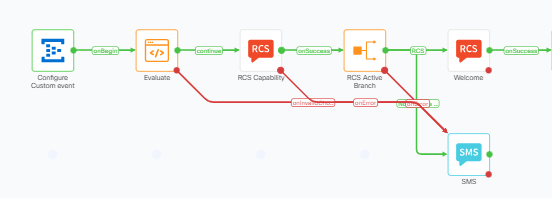
The first step in the flow is to validate that the phone number being used is capable of receiving RCS messages. This is done using the RCS Capability node which performs this check, we then branch on the results of this lookup and either continue with the RCS journey or send an SMS message - this path may need to be expanded if you wished to replicate this journey in SMS and link to the alternate SMS journey
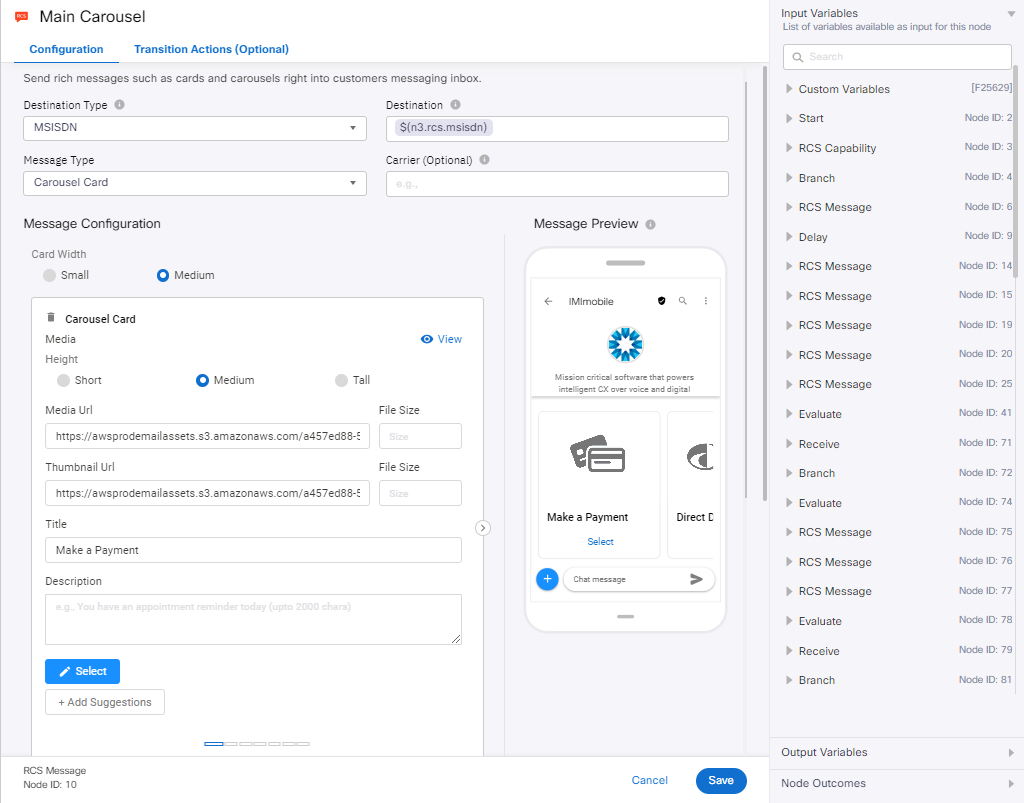
The Main Carousel node is where you need to setup the different options that are available, this will create the menu that's presented to your customers. You can use the existing options and pictures or add your own. The options you add here should also be reflected\accomodated within the different branch nodes in the flow
Postcode Check
As part of the triggers, we are passing Postcode through (as 'PC' in the Payload), there are a number of points in the flow where we ask the user to confirm their postcode as validation. We check against the postcode passed by the user and confirm if they are a match. We are using a counter PCcount to keep track of the number of attempts here, the flow is setup with a max retry count of 3
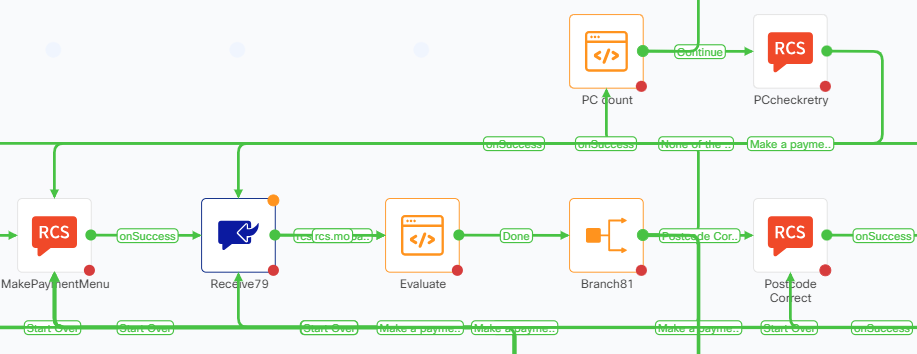
Similar logic is used on the retrycount variable which is used for the Sign In branch to track the number of retries