csr1000v_upgrade

CSR1000v Upgrade
This repository is a template to be used when upgrading the Cisco IOS XE software for an existing CSR1000v. It contains sample roles and playbooks to use with either Ansible Engine or AWX Ansible Tower. It is available for use by the Cisco DevNet community through Code Exchange.
You can use this template to update the IOS XE software of one or more Cisco CSR1000v devices in one single view.
- Technology stack: This is an example of infrastructure as a code using Ansible. YAML is primary programming language(s) and code is intended to be used as Ansible roles.
- Status: Alpha
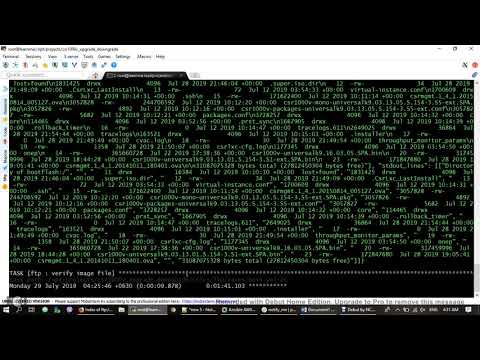
- Tutorial: https://www.youtube.com/watch?v=ADiRvV1BOHA
Instructions
There are two options to test! You can choose to use Ansible Engine or AWX Ansible Tower.
- With Ansible Engine, run.yml playbook will call roles as a single workflow to perform the upgrade.
- With AWX Ansible Tower, you need to create Job Templates and a Workflow Template.
You also may need to update the variables in ios_var.yaml for your environment.
Installation
Ansible Engine
- Download ansible_engine folder.
- Edit variables in ios_var.yaml for your environment
- Run run.yml
AWX Ansible Tower
- Fork the https://github.com/khinpyaephyosan/csr1000v_upgrade.git link to your Github account
- Create a New Project with SCM TYPE is Git and Sync the project.
- Create each Job Template for pre_check_actions.yml, ftp_actions.yml, upgrade_actions.yml and post_check_actions.yml.
- Create and run Workflow Template, which is sequentially composed by connecting pre_check_actions.yml, ftp_actions.yml, upgrade_actions.yml and post_check_actions.yml Job Templates.
Configuration
You can edit inventory.ini file, ios_var.yaml(variable file), playbooks and roles to change the workflow procedure. These are my references.
- https://docs.ansible.com/ansible/latest/user_guide/playbooks.html
- https://docs.ansible.com/ansible/latest/user_guide/playbooks_reuse_roles.html
Usage
Ansible Engine: $ansible-playbook run.yml -i inventory -vv
Ansible AWX Tower: Please reference this link https://www.youtube.com/watch?v=ADiRvV1BOHA
How to test the software
Ansible Engine: $ansible-playbook run.yml -i inventory --check -vv
Ansible AWS Tower: Please reference this link https://www.youtube.com/watch?v=ADiRvV1BOHA
Getting help
If you have questions, concerns, bug reports, etc., please file an issue in this repository's Issues list.
Credits and references
- projects that I admire: https://developer.cisco.com/iot/
- related project: https://www.youtube.com/watch?v=E7H2_Q-gmC4
- other sources that have meaningful impact or influence on this code: https://developer.cisco.com/, https://www.ansible.com/
Use Case
Use this template to upgrade or downgrade the Cisco IOS XE software for an existing CSR 1000v. The code repository contains sample roles and playbooks to use with either Ansible Engine or AWX Ansible Tower. It is available for use by the Cisco DevNet community through Code Exchange.
You can use this template to update the IOS XE software of one or more Cisco CSR1000v devices in one single view.
- Technology stack: This is an example of infrastructure as a code using Ansible. YAML is the primary programming language(s) and code is intended to be used as Ansible roles.
- Status: Alpha
- Tutorial: https://www.youtube.com/watch?v=ADiRvV1BOHA
Instructions
You can use Ansible Engine or AWX Ansible Tower.
- With Ansible Engine, the
run.ymlplaybook will call roles as a single workflow to perform the upgrade. - With AWX Ansible Tower, you need to create Job Templates and a Workflow Template.
You also may need to update the variables in ios_var.yaml for your environment.
Installation
Ansible Engine
- Download the
ansible_enginefolder. - Edit variables in
ios_var.yamlfor your environment. - Run
run.yml.
AWX Ansible Tower
- Fork
https://github.com/khinpyaephyosan/csr1000v_upgrade.gitto your GitHub account - Create a New Project, where SCM TYPE is Git and the project is Sync.
- Create each Job Template for
pre_check_actions.yml,ftp_actions.yml,upgrade_actions.yml, andpost_check_actions.yml. - Create and run the Workflow Template, which is sequentially composed by connecting the
pre_check_actions.yml,ftp_actions.yml,upgrade_actions.ymlandpost_check_actions.ymlJob Templates.
Configuration
You can edit inventory.ini file, ios_var.yaml(variable file), playbooks, and roles to change the workflow procedure. Refer to the following documentation for more information:
- https://docs.ansible.com/ansible/latest/user_guide/playbooks.html
- https://docs.ansible.com/ansible/latest/user_guide/playbooks_reuse_roles.html
Usage
- Ansible Engine:
$ ansible-playbook run.yml -i inventory -vv`- Ansible AWX Tower: Please refer to this link https://www.youtube.com/watch?v=ADiRvV1BOHA
Testing
- Ansible Engine:
$ ansible-playbook run.yml -i inventory --check -vv- Ansible AWS Tower: Please refer to this link https://www.youtube.com/watch?v=ADiRvV1BOHA
Tutorial
Owner
Contributors
Github contributorsCategories
Analytics & AutomationIoTNetworkingOpen SourceProducts
IOS XELicense
BSD 3-Clause "New" or "Revised" License
Code Exchange Community
Get help, share code, and collaborate with other developers in the Code Exchange community.View CommunityCisco provides Code Exchange for convenience and informational purposes only, with no support of any kind. This page contains information and links from third-party websites that are governed by their own separate terms. Reference to a project or contributor on this page does not imply any affiliation with or endorsement by Cisco.